Lab Automation: A Practical Guide to Automated Lab Workflows

What lab automation actually looks like day to day, with real examples of automated lab workflows across research, safety and automated laboratory instruments.

August 17, 2026
()
min read
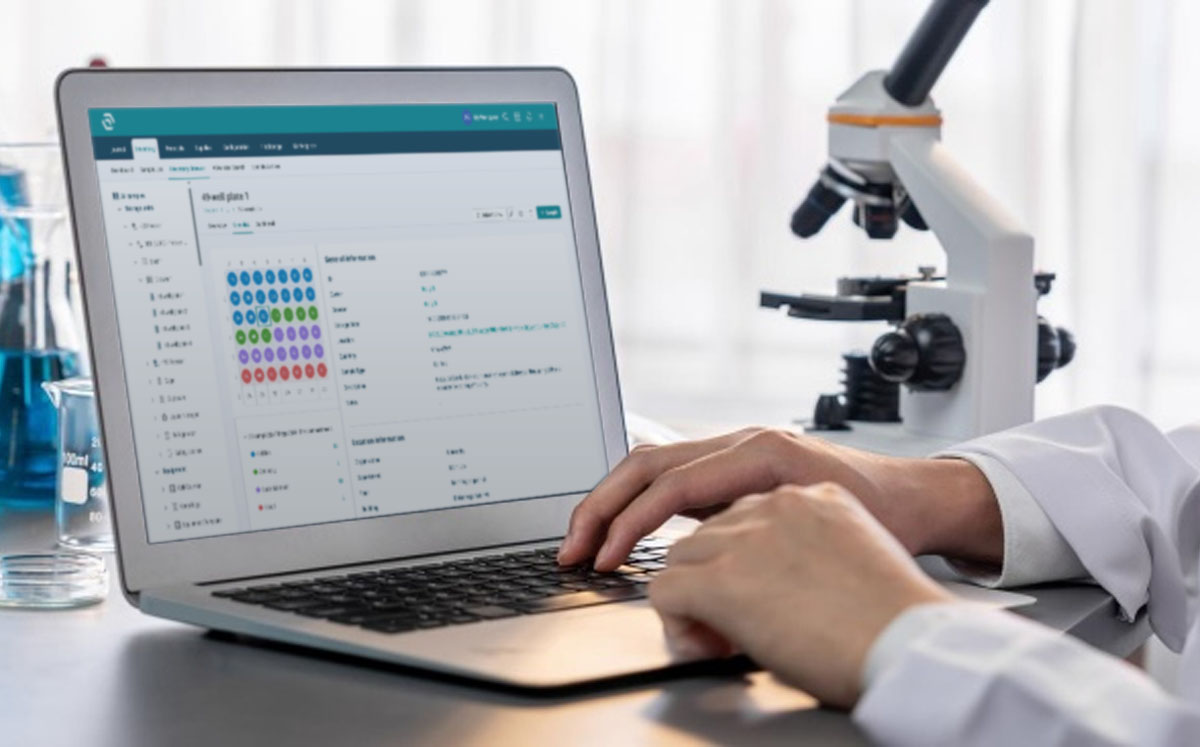
A laboratory

Download Whitepaper

By submitting this form, you agree with our Privacy Policy.
Thank you! Download the file by clicking below:
Download
Oops! Something went wrong while submitting the form.

Table of Contents

Thank you! Your submission has been received!
Oops! Something went wrong while submitting the form.

Table of Contents

TL;DR

Lab automation is the use of software and connected instruments to run repeatable lab tasks without someone typing the same thing twice, and most of the value comes from workflow automation rather than robotics.

  • Physical vs Workflow automation.
    Physical automation covers automated laboratory instruments: liquid handlers, plate readers, robotic arms and integrated workstations. Workflow automation covers everything around them: sample records, stock alerts, protocol versions, training assignments, SDS matching and reporting. Most labs get faster returns from the second kind, at a fraction of the cost.
  • Triggers do the work.
    In SciSure, automations follow a simple shape: something happens, conditions are checked, an action fires. A reagent drops below threshold and the owner gets an email. A sample nears expiry and a task appears. A record changes and a webhook posts to Slack or Teams.
  • Safety automation is underrated.
    Chemical container records can pull hazard data from a central database, SDS documents can be matched automatically, and training can be assigned from a person's job activities rather than a spreadsheet someone updates on Fridays.
  • Integrations close the loop.
    Barcode readers, rack scanners, label printers, microscopy software, environmental sensors and protocol libraries all connect through SciSure's Marketplace add-ons or its open API and SDK, so data lands in the right record instead of a folder on someone's desktop.
  • What the data shows. Averaged workflow data from more than 30 organizations using SciSure found viewing a chemical record dropped from 17.23 minutes to 1.39, and building a hazard-based list of labs went from 3.5 days to 5 minutes.


Originally published in 2024, this 2026 update adds real workflow examples from SciSure Research and Health & Safety, an integrations section covering automated laboratory instruments, published time-saving data, and guidance on where automation goes wrong.

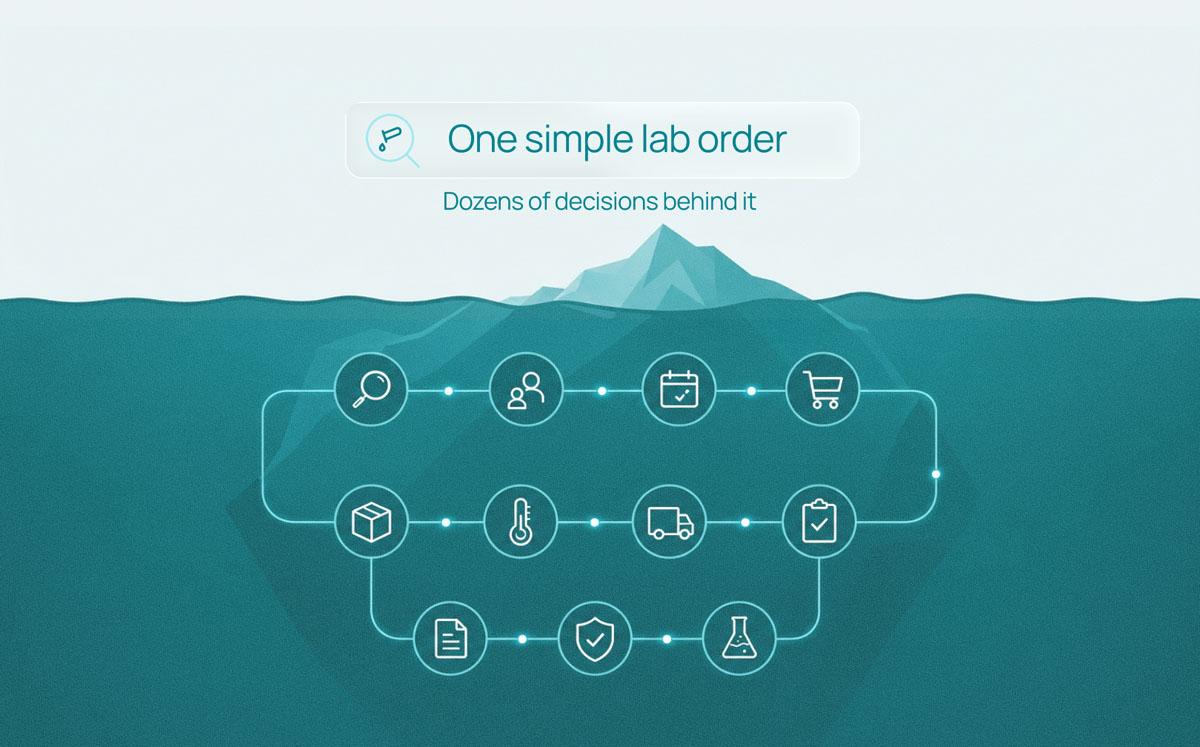
There's a version of your week that involves copying a sample ID from one spreadsheet into another, checking whether the ethanol order went in, and emailing three people to ask who's currently trained on the centrifuge. None of that is science. All of it takes time you'd rather spend elsewhere.

Lab automation is how you get that time back. It doesn't have to mean robotic arms and a six-figure capital request. For most labs, it means setting up software so the routine stuff happens on its own: stock alerts that fire before you run out, records that update when a barcode is scanned, safety documents that attach themselves to the right container.

This guide covers what lab automation actually involves, what automated lab workflows look like in practice across research and safety, how integrations extend them, and where automation tends to go wrong. Examples come from SciSure, though the thinking applies whatever platform you're using.

In this guide, we'll cover:

  • What lab automation means (and the two types people confuse)
  • What changes when you automate
  • Automated lab workflows in research
  • Automated workflows in safety and compliance
  • Connecting automated laboratory instruments and software
  • How to get started
  • Where lab automation goes wrong

What is lab automation?

Lab automation is the use of technology to carry out laboratory tasks with less manual input. That covers a wide range, and it helps to split it into two.

Two ways to set up automated lab workflows

Physical automation Workflow automation
What it is Hardware doing the bench work — the equipment that pipettes, moves plates, and reads results without a person standing over it. Software handling the information around the work. It manages record-keeping and hand-offs so your team spends less time on admin.
Examples
  • Liquid handlers
  • Plate readers
  • Automated storage and retrieval systems
  • Lab automation workstations: integrated benches combining pipetting, plate handling, and detection in a single enclosure
  • Creating records and updating quantities
  • Sending notifications and assigning tasks
  • Generating reports
  • Moving data between systems
Best suited for High-volume, highly repetitive bench work. Any lab that wants to reduce manual data entry, hand-offs, and administrative overhead around scientific work.
What it needs Floor space, capital budget, and a maintenance plan. Configuration time rather than floor space.

Most posts about lab automation talk about the first and skip the second. That's backwards for the majority of research labs. If your samples live in a freezer and your inventory lives in a spreadsheet that's three weeks out of date, a liquid handler won't help you, but closing that gap will.

The two also work together. Boston University's clinical testing lab ran robotics and high-volume sample processing, and used SciSure's API alongside two electronic medical record integrations to keep the data side moving at the same speed. The hardware and the record system have to keep pace with each other, or the bottleneck just moves.

What actually changes when you automate

The honest answer is that it varies a lot by lab. SciSure published averaged workflow data from more than 30 organizations using the platform, comparing before and after, and the pattern is consistent enough to be useful:

Averaged workflow data from 30+ organizations using SciSure

Task Before SciSure After SciSure
Viewing a chemical record 17.23 min 1.39 min
Updating inventory information 22.8 min 3 min
Correcting chemical inventory data (monthly) 17.3 hours Under 2 min
Finding a Safety Data Sheet 7 min (sometimes a full day) 3 min
Building a hazard-based list of labs and groups 3.5 days 5 min
Inventory report generation (flammables, MAQs, CFATS) 21 hours 7 min
Cross-team messages chasing information ~45 per week Near zero

Individual results vary, and these come from organizations that had already committed to putting their data in one place. The biggest gains are in tasks nobody enjoys and everybody postpones. 45 fewer interruptions a week is 45 fewer times someone breaks their concentration to answer a question the system could have answered.

You can read the full breakdown in how 30+ labs improved efficiency with SciSure.

Beyond time, you get consistency. Automated records carry timestamps, user attribution and version history without anyone remembering to add them, which is the difference between reconstructing what happened six months ago and simply looking it up.

SciSure
See what these numbers look like in your lab
Book a walkthrough and we'll look at where your team's hours are actually going.
Talk to a specialist

Automated lab workflows in research

To help you figure out how this look in practice, this is what automation looks like across a normal research week in SciSure Research (ELN and LIMS).

Triggers, conditions and actions

SciSure automations follow one shape: a trigger fires, conditions are checked, an action runs.

Triggers can be event-based, like a record being created, archived, deleted, or a field value changing. Or time-based, like a set date, a period before an expiration date, or a period after a due date passes. Conditions support AND and OR logic so you can be specific about which records qualify.

Actions can send an email, create a task inside SciSure, or POST a webhook payload to another system. Smart values pull record details into the message, so the email says which sample, in which freezer, owned by whom, rather than "an item requires attention."

A few things labs set up on day one:

  • A reminder seven days before a reagent's expiration date, sent to whoever owns it
  • A task created automatically when an experiment is assigned for witness signing
  • A webhook posting low-stock alerts into a Slack or Teams channel your ordering group already watches
  • A scheduled notification that groups every sample expiring next month into a single email rather than thirty separate ones

Inventory that maintains itself

Set a quantity threshold on a sample or reagent, and SciSure can notify the owner, add the linked catalog item to the shopping list, or both. Storage and expiration dates drive warnings, searches, reports and scheduled reminders, so material gets used before it becomes waste.

Barcode scanning covers the physical side. Samples, series, compartments, storage units and equipment can all be scanned, and the mobile app lets you view, move, update, archive, check in or check out records at the freezer instead of writing on a glove and typing it up later.

Inventory management with SciSure LIMS

Protocols that calculate

Protocols in SciSure support dynamic variables and formulas. Enter your starting volume and the protocol adjusts quantities through the rest of the steps, which removes a common source of transcription error. Insert a protocol version into an experiment as a procedure section and you get the exact steps followed that day, held with the experiment record.

There's also an AI Protocol Generator that drafts an SOP from a prompt. Useful as a starting point, and it needs a qualified person to check it before anyone runs it. Don't feed it anything sensitive.

Bulk operations

Sample Batch Import and Sample Batch Update handle recurring imports and mass edits, which matters when you're bringing in a collaborator's dataset or correcting a naming convention across four hundred records. Advanced search filters by sample type, location, expiration, parent, linked experiment and custom fields, with saved criteria and Excel export.

SciSure
See what your lab looks like on autopilot.
SciSure helps you set up threshold alerts, expiry reminders and scan-driven updates, based on how your team already works.
Request a demo

Automated workflows in safety and compliance

Safety work is full of tasks that are individually small and collectively enormous. This is where automation earns its keep fastest.

Chemical inventory and SDS

Add a container in SciSure Health & Safety and link it to the central chemical database, and it inherits hazard and regulatory information rather than requiring you to type it. You can add containers manually, by barcode, by spreadsheet import, or by photographing the label with ChemSnap, which attempts to pull out chemical identity, container size, manufacturer, lot and product number. AI-extracted values need a human check before you rely on them.

Chemical inventory management with ChemTracker

SDS Auto-Match then tries to attach a current Safety Data Sheet to each container, matching on chemical names and synonyms, CAS number, product number, manufacturer and how recent the document is. New containers are usually checked within about 20 minutes, and eligible containers get rechecked periodically. Manually attached documents aren't rechecked, and not every product has a matching SDS available, so it's worth knowing which of your containers fall into that gap.

For periodic physical counts, Reconciliation validates what's actually in a space and lets you confirm, relocate, transfer, remove or reactivate scanned containers in one pass.

Training that assigns itself

With SciSure, training requirements come from a person's job activities rather than from a list someone maintains. Assign the job activity, and the associated courses are assigned, the person is notified, overdue status is tracked and renewal dates are calculated. When someone joins a group, group defaults can apply automatically.

The upstream benefit is that job activities also let you answer questions like "Who works with this material?" without a survey. Among the labs having implemented SciSure, identifying everyone working with a specific high-risk material dropped from 14 hours to 14 minutes.

Inspections

Smart Inspector schedules multiple inspections at once by filtering labs and spaces on building, department, classification, campus, category or hazard. Findings are reusable, corrective actions get assigned to named people with follow-up tracking, and dashboards surface repeat findings across departments so you can see patterns rather than incidents.

SmartLabs, which runs multi-tenant lab facilities, uses SciSure across chemical inventory, SDS, inspections, equipment management, biosafety and medical surveillance, and reports meaningful time savings in search, reconciliation and reporting. Their results:

Customer outcomes
SmartLabs: Chemical Inventory at Scale

Less manual reporting, faster hazard visibility, and lab operations that can scale across more people, spaces, and workflows.

After implementing SciSure's ChemTracker:

87%-99% of time saved

  • Search: 15 min to 1-2 min.
  • Reconciliation: all day to 20 min.
  • Reporting: 30 min to 1 min.

Sources

SciSure customer story: SmartLabs, "SmartLabs Elevates Lab Management to Artistry." Metrics and before/after claims are condensed from that story.

A note on reporting: fire code, MAQ, Tier II and NFPA outputs are decision-support. They speed up your preparation. Your authority having jurisdiction still signs off.

Connecting automated laboratory instruments and software

Automation stalls at the edge of your system. For example, if your plate reader writes to a shared drive and your scanner writes to a desktop folder, someone is still doing the joining up by hand. Integrations are what carry automation across that gap, and they're how automated laboratory instruments end up feeding the same records your team searches every day. SciSure includes 40+ prebuilt add-ons in its Marketplace, plus an open API and SDK for anything custom.

SciSure Integrations & Marketplace Add-Ons

Here are some ways they help set up automated lab workflows.

Getting sample data in without typing

VisionMate HSX and RackScan read whole racks of barcoded tubes at once, so a box that took twenty minutes to log becomes a single scan. BioMicroLab scanning covers similar ground. Scan to ELN and Barcode Automation handle single-sample workflows and generate labels through Zebra ZPL or DYMO LabelWriter 550 printers.

Instrument and imaging data.

Nikon NIS-Elements exchanges data and notes with the ELN so images land with the experiment rather than in a folder named after last Tuesday. Elemental Machines and Eppendorf VisioNize Sense bring environmental and equipment monitoring into the same picture, which is how you find out a freezer drifted before the samples do. For automated laboratory instruments without a prebuilt add-on, the open API is the route: it's what Boston University used to connect its testing workflow to two electronic medical record systems.

Protocols and analysis

Protocols.io pulls published protocols directly into the ELN. DataChaperone runs audit-ready data analysis inside the notebook rather than in a separate tool with a separate export step. DMPTool manages data management plans in the same place as the research they describe.
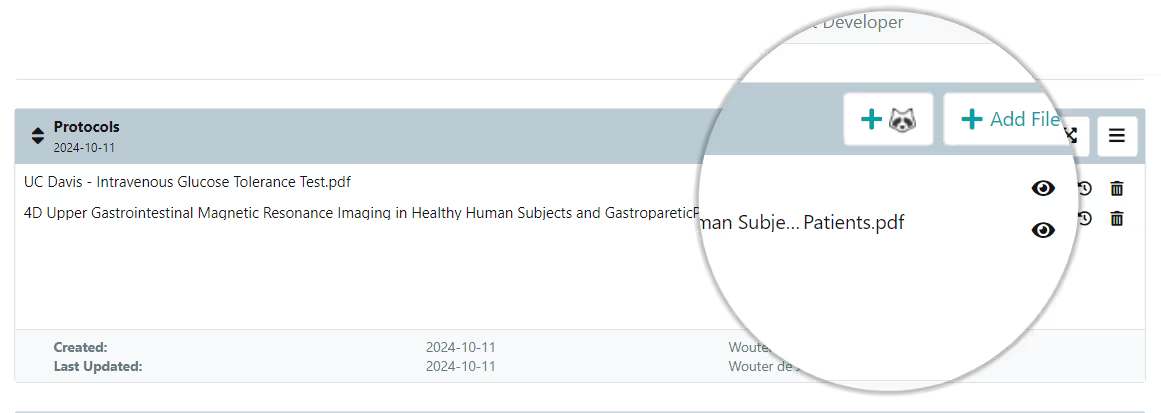
SciSure's protocols.io add-on

Files and messaging

Box, Dropbox and Google Drive connections cover cloud files. Webhooks push notifications into Slack and Microsoft Teams, so the alert reaches people where they already are.

Custom work

The open API and SDK cover instrument connections, automated reporting and syncing with systems you already run.

Keep in mind: some add-ons are free and some are paid, and a few require compatible hardware or local drivers. Availability also depends on your deployment and licensed modules, so confirm what's enabled in your instance before you build a process around it.

SciSure
Connect the tools you already use.
Bring your scanners, instruments, printers and protocol library into one workflow.
Browse the SciSure Marketplace.

How to get started with lab automation

  • Find the task people complain about.
    Not the biggest task, the most annoying one. Repetitive, low-judgement and frequent is the sweet spot. If three people mention the same reconciliation every month, start there.
  • Fix the data before you automate it.
    Automation applied to messy records produces confident, fast, wrong answers. Clean up naming, locations and ownership first. This is the step everyone wants to skip and nobody should.
  • Automate one workflow end to end.
    A single complete workflow beats five half-configured ones. Get the trigger, the conditions, the action and the person receiving it all working, then move on.
  • Watch what it does for two weeks.
    Notification fatigue is real. If an alert fires so often that people filter it out, tighten the conditions rather than accepting it as noise.
  • Write down how you configured it.
    The person who set up your automations will eventually go on leave, change teams or leave the organization. Internal documentation is what keeps the system usable after they do.

Where lab automation goes wrong

  • Automating a broken process.
    If your approval workflow has four unnecessary steps, automating it gives you four unnecessary steps that now run faster. Redesign first, then automate.
  • Too many notifications.
    Every alert competes with every other alert. A lab that automates twelve reminders in week one usually has zero effective reminders by week six. Be selective about what genuinely needs a person's attention.
  • Assuming automation means unattended.
    AI-extracted chemical data, auto-matched safety documents and generated protocol drafts all need a qualified human to check them. Automation removes the typing, not the responsibility. Validation and governance stay yours.

Getting the routine work off your plate

Lab automation is about deciding which parts of your week don't need a person and then arranging for them not to have one. Start with the annoying task, clean the data underneath it, automate one workflow properly, and let the results make the case for the next one.

If you'd like to see what that looks like for a lab your size, book a walkthrough and we'll go through your actual workflows rather than a generic demo.

FAQ

What is lab automation?

Lab automation is the use of software and connected instruments to carry out laboratory tasks with less manual input. It covers physical automation, like liquid handlers and robotic sample handling, and workflow automation, like automatic stock alerts, record updates, training assignments and report generation. Most labs see faster returns from workflow automation because it needs configuration time rather than capital equipment and floor space.

What are automated lab workflows?

An automated lab workflow is a sequence of lab steps that runs without someone manually starting each one. In SciSure, workflows follow a trigger, condition, action pattern: an event happens or a date is reached, conditions are checked, and an action fires such as an email, a task, or a webhook to another system. Common examples include expiry reminders, low-stock alerts, witness signing requests and scheduled inspections.

Do you need robotics to automate a lab?

No. Robotics suits high-volume repetitive bench work, but a large share of lab inefficiency sits in the information layer: finding samples, updating inventory, chasing training records, assembling reports. Software-based workflow automation addresses that without any hardware purchase, and it's usually where labs should start.

Which automated laboratory instruments can SciSure connect to?

SciSure connects to instruments through Marketplace add-ons and through its open API. Prebuilt add-ons cover high-speed barcode and rack readers including VisionMate HSX, RackScan and BioMicroLab, label printers from Zebra and DYMO, Nikon NIS-Elements for microscopy data, and Elemental Machines and Eppendorf VisioNize Sense for environmental and equipment monitoring. Instruments without a prebuilt add-on can be connected using the open API and SDK. Some add-ons are paid or require compatible hardware and local drivers, so check what's available for your deployment.

What is a lab automation workstation, and does SciSure provide one?

A lab automation workstation is an integrated hardware bench that combines liquid handling, plate movement and detection in a single system. SciSure doesn't manufacture or sell workstations. SciSure is the software layer that sits alongside them, capturing sample records, protocol versions, results and inventory movements so the data your workstation produces stays traceable and searchable. Labs typically buy the workstation from an instrument vendor and connect it to SciSure through the API.

How does lab automation support compliance?

Automated records carry timestamps, user attribution and version history without anyone remembering to add them, which makes audit preparation a retrieval task rather than a reconstruction task. SciSure can support GLP, GxP and FDA 21 CFR Part 11 workflows through signatures, witness signing, locked records, audit logs and versioning where configured. The software supports compliant use, and your organization still owns validation, SOPs, training and change control.

What should a lab automate first?

Start with a task that's repetitive, frequent and low-judgement, and that people already complain about. Clean the underlying data first, since automation applied to inaccurate records produces fast wrong answers. Then configure one workflow end to end rather than several partially, and review it after two weeks to make sure the notifications are landing usefully.

SciSure
Not sure where to begin?
We'll help you figure out where you're losing time and effort which you'd rather spend doing better science.
Get in touch

Ready to see SciSure in action?

Get a personalized demo and see how SciSure fits your lab's workflows.
Request demo

No commitment · Free consultation

There's a version of your week that involves copying a sample ID from one spreadsheet into another, checking whether the ethanol order went in, and emailing three people to ask who's currently trained on the centrifuge. None of that is science. All of it takes time you'd rather spend elsewhere.

Lab automation is how you get that time back. It doesn't have to mean robotic arms and a six-figure capital request. For most labs, it means setting up software so the routine stuff happens on its own: stock alerts that fire before you run out, records that update when a barcode is scanned, safety documents that attach themselves to the right container.

This guide covers what lab automation actually involves, what automated lab workflows look like in practice across research and safety, how integrations extend them, and where automation tends to go wrong. Examples come from SciSure, though the thinking applies whatever platform you're using.

In this guide, we'll cover:

  • What lab automation means (and the two types people confuse)
  • What changes when you automate
  • Automated lab workflows in research
  • Automated workflows in safety and compliance
  • Connecting automated laboratory instruments and software
  • How to get started
  • Where lab automation goes wrong

What is lab automation?

Lab automation is the use of technology to carry out laboratory tasks with less manual input. That covers a wide range, and it helps to split it into two.

Two ways to set up automated lab workflows

Physical automation Workflow automation
What it is Hardware doing the bench work — the equipment that pipettes, moves plates, and reads results without a person standing over it. Software handling the information around the work. It manages record-keeping and hand-offs so your team spends less time on admin.
Examples
  • Liquid handlers
  • Plate readers
  • Automated storage and retrieval systems
  • Lab automation workstations: integrated benches combining pipetting, plate handling, and detection in a single enclosure
  • Creating records and updating quantities
  • Sending notifications and assigning tasks
  • Generating reports
  • Moving data between systems
Best suited for High-volume, highly repetitive bench work. Any lab that wants to reduce manual data entry, hand-offs, and administrative overhead around scientific work.
What it needs Floor space, capital budget, and a maintenance plan. Configuration time rather than floor space.

Most posts about lab automation talk about the first and skip the second. That's backwards for the majority of research labs. If your samples live in a freezer and your inventory lives in a spreadsheet that's three weeks out of date, a liquid handler won't help you, but closing that gap will.

The two also work together. Boston University's clinical testing lab ran robotics and high-volume sample processing, and used SciSure's API alongside two electronic medical record integrations to keep the data side moving at the same speed. The hardware and the record system have to keep pace with each other, or the bottleneck just moves.

What actually changes when you automate

The honest answer is that it varies a lot by lab. SciSure published averaged workflow data from more than 30 organizations using the platform, comparing before and after, and the pattern is consistent enough to be useful:

Averaged workflow data from 30+ organizations using SciSure

Task Before SciSure After SciSure
Viewing a chemical record 17.23 min 1.39 min
Updating inventory information 22.8 min 3 min
Correcting chemical inventory data (monthly) 17.3 hours Under 2 min
Finding a Safety Data Sheet 7 min (sometimes a full day) 3 min
Building a hazard-based list of labs and groups 3.5 days 5 min
Inventory report generation (flammables, MAQs, CFATS) 21 hours 7 min
Cross-team messages chasing information ~45 per week Near zero

Individual results vary, and these come from organizations that had already committed to putting their data in one place. The biggest gains are in tasks nobody enjoys and everybody postpones. 45 fewer interruptions a week is 45 fewer times someone breaks their concentration to answer a question the system could have answered.

You can read the full breakdown in how 30+ labs improved efficiency with SciSure.

Beyond time, you get consistency. Automated records carry timestamps, user attribution and version history without anyone remembering to add them, which is the difference between reconstructing what happened six months ago and simply looking it up.

SciSure
See what these numbers look like in your lab
Book a walkthrough and we'll look at where your team's hours are actually going.
Talk to a specialist

Automated lab workflows in research

To help you figure out how this look in practice, this is what automation looks like across a normal research week in SciSure Research (ELN and LIMS).

Triggers, conditions and actions

SciSure automations follow one shape: a trigger fires, conditions are checked, an action runs.

Triggers can be event-based, like a record being created, archived, deleted, or a field value changing. Or time-based, like a set date, a period before an expiration date, or a period after a due date passes. Conditions support AND and OR logic so you can be specific about which records qualify.

Actions can send an email, create a task inside SciSure, or POST a webhook payload to another system. Smart values pull record details into the message, so the email says which sample, in which freezer, owned by whom, rather than "an item requires attention."

A few things labs set up on day one:

  • A reminder seven days before a reagent's expiration date, sent to whoever owns it
  • A task created automatically when an experiment is assigned for witness signing
  • A webhook posting low-stock alerts into a Slack or Teams channel your ordering group already watches
  • A scheduled notification that groups every sample expiring next month into a single email rather than thirty separate ones

Inventory that maintains itself

Set a quantity threshold on a sample or reagent, and SciSure can notify the owner, add the linked catalog item to the shopping list, or both. Storage and expiration dates drive warnings, searches, reports and scheduled reminders, so material gets used before it becomes waste.

Barcode scanning covers the physical side. Samples, series, compartments, storage units and equipment can all be scanned, and the mobile app lets you view, move, update, archive, check in or check out records at the freezer instead of writing on a glove and typing it up later.

Inventory management with SciSure LIMS

Protocols that calculate

Protocols in SciSure support dynamic variables and formulas. Enter your starting volume and the protocol adjusts quantities through the rest of the steps, which removes a common source of transcription error. Insert a protocol version into an experiment as a procedure section and you get the exact steps followed that day, held with the experiment record.

There's also an AI Protocol Generator that drafts an SOP from a prompt. Useful as a starting point, and it needs a qualified person to check it before anyone runs it. Don't feed it anything sensitive.

Bulk operations

Sample Batch Import and Sample Batch Update handle recurring imports and mass edits, which matters when you're bringing in a collaborator's dataset or correcting a naming convention across four hundred records. Advanced search filters by sample type, location, expiration, parent, linked experiment and custom fields, with saved criteria and Excel export.

SciSure
See what your lab looks like on autopilot.
SciSure helps you set up threshold alerts, expiry reminders and scan-driven updates, based on how your team already works.
Request a demo

Automated workflows in safety and compliance

Safety work is full of tasks that are individually small and collectively enormous. This is where automation earns its keep fastest.

Chemical inventory and SDS

Add a container in SciSure Health & Safety and link it to the central chemical database, and it inherits hazard and regulatory information rather than requiring you to type it. You can add containers manually, by barcode, by spreadsheet import, or by photographing the label with ChemSnap, which attempts to pull out chemical identity, container size, manufacturer, lot and product number. AI-extracted values need a human check before you rely on them.

Chemical inventory management with ChemTracker

SDS Auto-Match then tries to attach a current Safety Data Sheet to each container, matching on chemical names and synonyms, CAS number, product number, manufacturer and how recent the document is. New containers are usually checked within about 20 minutes, and eligible containers get rechecked periodically. Manually attached documents aren't rechecked, and not every product has a matching SDS available, so it's worth knowing which of your containers fall into that gap.

For periodic physical counts, Reconciliation validates what's actually in a space and lets you confirm, relocate, transfer, remove or reactivate scanned containers in one pass.

Training that assigns itself

With SciSure, training requirements come from a person's job activities rather than from a list someone maintains. Assign the job activity, and the associated courses are assigned, the person is notified, overdue status is tracked and renewal dates are calculated. When someone joins a group, group defaults can apply automatically.

The upstream benefit is that job activities also let you answer questions like "Who works with this material?" without a survey. Among the labs having implemented SciSure, identifying everyone working with a specific high-risk material dropped from 14 hours to 14 minutes.

Inspections

Smart Inspector schedules multiple inspections at once by filtering labs and spaces on building, department, classification, campus, category or hazard. Findings are reusable, corrective actions get assigned to named people with follow-up tracking, and dashboards surface repeat findings across departments so you can see patterns rather than incidents.

SmartLabs, which runs multi-tenant lab facilities, uses SciSure across chemical inventory, SDS, inspections, equipment management, biosafety and medical surveillance, and reports meaningful time savings in search, reconciliation and reporting. Their results:

Customer outcomes
SmartLabs: Chemical Inventory at Scale

Less manual reporting, faster hazard visibility, and lab operations that can scale across more people, spaces, and workflows.

After implementing SciSure's ChemTracker:

87%-99% of time saved

  • Search: 15 min to 1-2 min.
  • Reconciliation: all day to 20 min.
  • Reporting: 30 min to 1 min.

Sources

SciSure customer story: SmartLabs, "SmartLabs Elevates Lab Management to Artistry." Metrics and before/after claims are condensed from that story.

A note on reporting: fire code, MAQ, Tier II and NFPA outputs are decision-support. They speed up your preparation. Your authority having jurisdiction still signs off.

Connecting automated laboratory instruments and software

Automation stalls at the edge of your system. For example, if your plate reader writes to a shared drive and your scanner writes to a desktop folder, someone is still doing the joining up by hand. Integrations are what carry automation across that gap, and they're how automated laboratory instruments end up feeding the same records your team searches every day. SciSure includes 40+ prebuilt add-ons in its Marketplace, plus an open API and SDK for anything custom.

SciSure Integrations & Marketplace Add-Ons

Here are some ways they help set up automated lab workflows.

Getting sample data in without typing

VisionMate HSX and RackScan read whole racks of barcoded tubes at once, so a box that took twenty minutes to log becomes a single scan. BioMicroLab scanning covers similar ground. Scan to ELN and Barcode Automation handle single-sample workflows and generate labels through Zebra ZPL or DYMO LabelWriter 550 printers.

Instrument and imaging data.

Nikon NIS-Elements exchanges data and notes with the ELN so images land with the experiment rather than in a folder named after last Tuesday. Elemental Machines and Eppendorf VisioNize Sense bring environmental and equipment monitoring into the same picture, which is how you find out a freezer drifted before the samples do. For automated laboratory instruments without a prebuilt add-on, the open API is the route: it's what Boston University used to connect its testing workflow to two electronic medical record systems.

Protocols and analysis

Protocols.io pulls published protocols directly into the ELN. DataChaperone runs audit-ready data analysis inside the notebook rather than in a separate tool with a separate export step. DMPTool manages data management plans in the same place as the research they describe.

SciSure's protocols.io add-on

Files and messaging

Box, Dropbox and Google Drive connections cover cloud files. Webhooks push notifications into Slack and Microsoft Teams, so the alert reaches people where they already are.

Custom work

The open API and SDK cover instrument connections, automated reporting and syncing with systems you already run.

Keep in mind: some add-ons are free and some are paid, and a few require compatible hardware or local drivers. Availability also depends on your deployment and licensed modules, so confirm what's enabled in your instance before you build a process around it.

SciSure
Connect the tools you already use.
Bring your scanners, instruments, printers and protocol library into one workflow.
Browse the SciSure Marketplace.

How to get started with lab automation

  • Find the task people complain about.
    Not the biggest task, the most annoying one. Repetitive, low-judgement and frequent is the sweet spot. If three people mention the same reconciliation every month, start there.
  • Fix the data before you automate it.
    Automation applied to messy records produces confident, fast, wrong answers. Clean up naming, locations and ownership first. This is the step everyone wants to skip and nobody should.
  • Automate one workflow end to end.
    A single complete workflow beats five half-configured ones. Get the trigger, the conditions, the action and the person receiving it all working, then move on.
  • Watch what it does for two weeks.
    Notification fatigue is real. If an alert fires so often that people filter it out, tighten the conditions rather than accepting it as noise.
  • Write down how you configured it.
    The person who set up your automations will eventually go on leave, change teams or leave the organization. Internal documentation is what keeps the system usable after they do.

Where lab automation goes wrong

  • Automating a broken process.
    If your approval workflow has four unnecessary steps, automating it gives you four unnecessary steps that now run faster. Redesign first, then automate.
  • Too many notifications.
    Every alert competes with every other alert. A lab that automates twelve reminders in week one usually has zero effective reminders by week six. Be selective about what genuinely needs a person's attention.
  • Assuming automation means unattended.
    AI-extracted chemical data, auto-matched safety documents and generated protocol drafts all need a qualified human to check them. Automation removes the typing, not the responsibility. Validation and governance stay yours.

Getting the routine work off your plate

Lab automation is about deciding which parts of your week don't need a person and then arranging for them not to have one. Start with the annoying task, clean the data underneath it, automate one workflow properly, and let the results make the case for the next one.

If you'd like to see what that looks like for a lab your size, book a walkthrough and we'll go through your actual workflows rather than a generic demo.

FAQ

What is lab automation?

Lab automation is the use of software and connected instruments to carry out laboratory tasks with less manual input. It covers physical automation, like liquid handlers and robotic sample handling, and workflow automation, like automatic stock alerts, record updates, training assignments and report generation. Most labs see faster returns from workflow automation because it needs configuration time rather than capital equipment and floor space.

What are automated lab workflows?

An automated lab workflow is a sequence of lab steps that runs without someone manually starting each one. In SciSure, workflows follow a trigger, condition, action pattern: an event happens or a date is reached, conditions are checked, and an action fires such as an email, a task, or a webhook to another system. Common examples include expiry reminders, low-stock alerts, witness signing requests and scheduled inspections.

Do you need robotics to automate a lab?

No. Robotics suits high-volume repetitive bench work, but a large share of lab inefficiency sits in the information layer: finding samples, updating inventory, chasing training records, assembling reports. Software-based workflow automation addresses that without any hardware purchase, and it's usually where labs should start.

Which automated laboratory instruments can SciSure connect to?

SciSure connects to instruments through Marketplace add-ons and through its open API. Prebuilt add-ons cover high-speed barcode and rack readers including VisionMate HSX, RackScan and BioMicroLab, label printers from Zebra and DYMO, Nikon NIS-Elements for microscopy data, and Elemental Machines and Eppendorf VisioNize Sense for environmental and equipment monitoring. Instruments without a prebuilt add-on can be connected using the open API and SDK. Some add-ons are paid or require compatible hardware and local drivers, so check what's available for your deployment.

What is a lab automation workstation, and does SciSure provide one?

A lab automation workstation is an integrated hardware bench that combines liquid handling, plate movement and detection in a single system. SciSure doesn't manufacture or sell workstations. SciSure is the software layer that sits alongside them, capturing sample records, protocol versions, results and inventory movements so the data your workstation produces stays traceable and searchable. Labs typically buy the workstation from an instrument vendor and connect it to SciSure through the API.

How does lab automation support compliance?

Automated records carry timestamps, user attribution and version history without anyone remembering to add them, which makes audit preparation a retrieval task rather than a reconstruction task. SciSure can support GLP, GxP and FDA 21 CFR Part 11 workflows through signatures, witness signing, locked records, audit logs and versioning where configured. The software supports compliant use, and your organization still owns validation, SOPs, training and change control.

What should a lab automate first?

Start with a task that's repetitive, frequent and low-judgement, and that people already complain about. Clean the underlying data first, since automation applied to inaccurate records produces fast wrong answers. Then configure one workflow end to end rather than several partially, and review it after two weeks to make sure the notifications are landing usefully.

SciSure
Not sure where to begin?
We'll help you figure out where you're losing time and effort which you'd rather spend doing better science.
Get in touch

About the author:

Andrew Martin

Andrew “AJ” Martin is General Manager and Director of Marketplace Development at SciSure, where he leads the buildout of a connected scientific data ecosystem and partner marketplace. With over 15 years of experience across life sciences, he brings a unique blend of scientific training, commercial strategy, and technical fluency to drive growth, partnerships, and innovation.

See all posts from this author

Sign up for our newsletter

Get the latest tips, articles, and exclusive content on modern lab management delivered to your inbox.
Thank you for subscribing!
Please check your email to verify your submission.
Oops! Something went wrong while submitting the form.