How to Keep Your Chemical Inventory Up to Date with ChemTracker
Chemical inventories drift after go-live. Here's the reconciliation cadence, intake habits, and ChemTracker tools that keep your records accurate all year.

Download Whitepaper
TL;DR
To keep a chemical inventory up to date, reconcile every storage space on a set schedule, remove empty containers as they happen, and make logging new containers faster than shelving them. SciSure's ChemTracker has tools for each of these steps.
- Reconcile every space yearly.
Compare what's on the shelf with what the record says, one room, bench, or shelf at a time. ChemTracker's reconciliation tool lets you confirm, relocate, remove, or reactivate containers, with or without barcodes. Plan at least one pass per space each year, and more often in busy or high-hazard labs.
- Clear out empties monthly.
Empty bottles that stay in the system inflate the totals behind Tier II and fire code reports. Have labs save the barcode labels from empty containers, then scan them into ChemTracker's bulk edit once a month to remove up to 1,000 records at a time. Removed containers can be reactivated if they turn up.
- Make intake quick.
Records drift when logging a new container takes longer than putting it away. Pre-printed barcode or RFID labels, ChemSnap AI photo capture, and spreadsheet import help teams record containers at receiving, so the inventory starts accurate instead of playing catch-up at the next audit.
- Keep SDSs matched.
Every container needs a safety data sheet (SDS) people can find. ChemTracker's SDS Auto-Match looks for a recent SDS for new containers within about 20 minutes and periodically rechecks eligible ones, while your team can still attach local SDSs manually or in bulk.
- Give labs a reason.
Researchers keep inventories current when doing so saves them time. Single sign-on removes the extra password, group permissions let labs manage their own containers, and ChemTracker's Peer Search helps researchers find surplus chemicals in other labs before placing a new order.
This guide is adapted from a SciSure ChemTracker webinar originally published in 2022. We've rewritten and updated it with current features, including ChemSnap AI photo capture, spreadsheet import and edit, and SDS Auto-Match.
Ready to see SciSure in action?
No commitment · Free consultation
Why chemical inventories go out of date
Getting a chemical inventory into a system is the part everyone plans for. Keeping it accurate a year later is harder, and it's where most programs slip.
Labs are busy. A solvent runs out on a Tuesday and the empty bottle goes to waste without anyone touching the record. A postdoc moves to another building and takes a shelf of reagents along. A delivery arrives while the lab manager is on leave. None of these is a big deal on its own, but a few hundred of them later, the inventory says one thing and the shelves say another.
This guide covers the routines that keep a chemical inventory current and how SciSure's ChemTracker supports each one. Most of the habits apply whatever system you use.
What an out-of-date inventory costs you
An inventory is only useful if people trust it. When they stop trusting it, the costs show up in a few places:
- Regulatory reporting.
Facilities covered by EPCRA (the Emergency Planning and Community Right-to-Know Act) Sections 311 and 312 must submit an annual chemical inventory by March 1 to their state and local emergency planning bodies and the local fire department. The Tier II form includes the maximum amount of each chemical on site at any time in the previous year and where it's stored (EPA). Empty containers still listed as full make those numbers wrong.
- Fire code limits.
Fire codes cap how much of each hazard class a control area can hold, known as maximum allowable quantities (MAQs). Containers that only exist on paper can push a control area over its limit and trigger questions you don't need. Our guide to fire code compliance and MAQs covers this in more detail.
- Emergency response.
Responders and facilities staff rely on location and hazard data being right before they walk into a room.
- Wasted spend.
When nobody trusts the inventory, researchers reorder chemicals that are already sitting two labs away.
Decide how "live" your inventory needs to be
Before picking tools, agree on what "up to date" means for your organization. Teams using ChemTracker tend to land on one of two models:
Both these approaches are valid. An inventory updated once a year is far more useful than one nobody has touched since go-live, so start with the model you can actually sustain.
Then decide who does the work:
- Central EHS (environmental health and safety) staff,
- Contractors,
- or the labs themselves.
ChemTracker supports all three. Oversight users can manage every inventory, and group-level users such as principal investigators (PIs) or lab managers can maintain their own group's containers when you give them that permission. Spreading the work across labs usually scales better than a central team walking every room.
Step 1: Reconcile each space on a schedule
Reconciliation means comparing what the system says should be in a space with what's physically there, then fixing the differences.
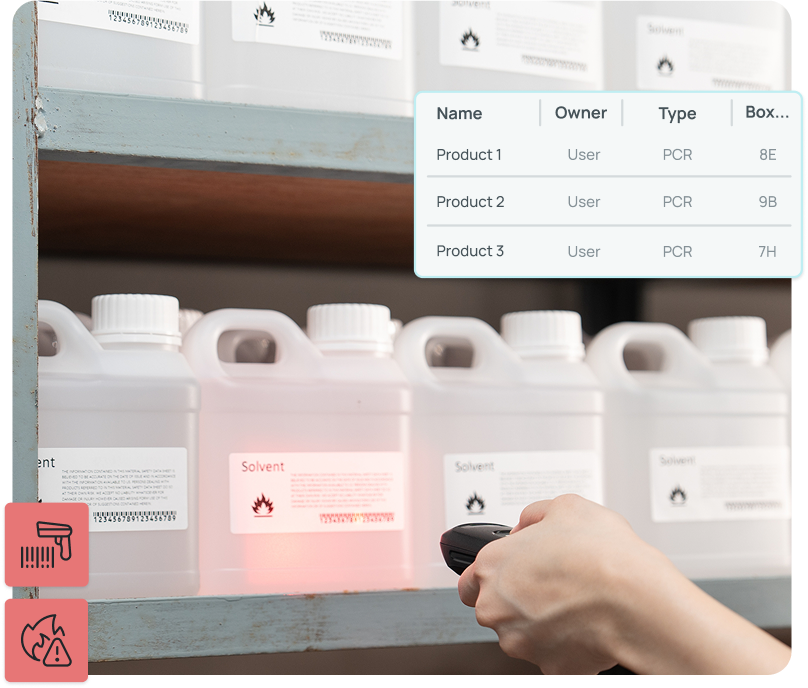
In ChemTracker, you work space by space. Pick a room, then narrow it to a single bench or shelf if the list is long. You can check containers off on a laptop, tablet, or phone, or scan barcodes and RFID tags if you use them. Scanning tells you more: the tool flags containers that are listed in a different room and containers that were previously removed, so a bottle lent to another lab doesn't go missing on paper.
For each space, you can:
- Confirm containers that are where they should be
- Relocate containers found in the wrong place
- Remove containers you couldn't find
- Reactivate removed containers that turned up again
When you finish, you can download a record of what was scanned and what wasn't, along with an accuracy score showing how closely the starting inventory matched the shelf. That score is worth tracking from one year to the next.
How often should you keep your chemical inventory up to date? At least once a year per space is a sensible baseline. Labs with heavy chemical turnover, and spaces that drive your fire code and Tier II numbers, may need a shorter cycle. If one room needs reconciling every few weeks, the fix is usually better intake and removal habits (Steps 2 and 3) rather than more reconciliations.
At SmartLabs, which runs lab space for biotech and biopharma companies, reconciling the inventory for an entire research center used to take all day. With ChemTracker, the team can do it in as little as 20 minutes.
Step 2: Remove empty containers before they pile up
Empties are the most common reason inventories drift. A routine that works well for ChemTracker customers:
- Label containers with piggyback barcode labels, which peel off the bottle and stick a second time.
- When a container is empty, the researcher peels off the label and sticks it on a sheet of paper or a board in the lab.
- Once a month, someone scans the sheet into ChemTracker's bulk edit and removes those containers in one go.
Bulk edit handles up to 1,000 containers at a time, so it's also the tool for bigger changes, like moving a lab to a new building or handling the inventory of a PI who's leaving. Removed containers keep their group and location data and move to a removed-inventory list, so they stop counting toward reports but can be reactivated if they turn up.
Across more than 30 organizations using SciSure, the monthly time spent correcting chemical inventory data dropped from about 17 hours to under two minutes.

Step 3: Make logging new containers fast
If adding a container takes longer than shelving it, the container gets shelved and the record doesn't. A few ways to lower that effort:
- Pre-printed barcode or RFID labels.
You don't need a label printer. Buy labels on sheets or rolls from a label vendor and scan one in when you add a container. Barcodes are optional, and you can mix barcoded and non-barcoded sites. If your containers already carry barcodes from a previous system, you can keep using them. One practical tip: avoid barcode numbers that start with zero, because spreadsheet tools like Excel drop leading zeros when you export or import data.
- ChemSnap AI.
Take a photo of a container label, and ChemSnap fills in what it can read, such as chemical identity, container size, manufacturer, lot, product name, and product number. Someone should check the values before saving.
- Spreadsheet import and edit.
For large deliveries or clean-up projects, add or update up to 9,999 containers per import, matched by container ID. Blank cells leave existing values unchanged.
- Chemicals outside the database.
Chemicals linked to ChemTracker's central database pick up hazard and regulatory data automatically. For facilities products, custom mixtures, or anything else that isn't there, you can add local entries so the container still counts.
For a side-by-side look at barcodes, RFID, and ChemSnap, see our guide to chemical inventory tracking tools.
Step 4: Keep SDSs attached as the inventory changes
An accurate inventory also needs the right SDS on each container. ChemTracker's SDS Auto-Match looks for a recent SDS using the chemical name and synonyms, CAS number, product number, and manufacturer. New containers are normally checked within about 20 minutes, and eligible containers are rechecked periodically.
A few things to keep in mind:
- Not every product has a matching SDS available, so filter for containers without one and fill the gaps.
- SDSs you attach manually aren't rechecked automatically.
- You can attach local SDSs to a single container or in bulk.
Step 5: Check how stale each record is
You can't fix what you can't see going stale. ChemTracker records when each container was created, received, last changed, and last found during a reconciliation. At the oversight level, a group inventories report shows when each group's or space's inventory was last updated and how many containers it holds.
Use that view to plan your reconciliation calendar. Start with the spaces that haven't been touched in the longest time or hold the largest inventories, rather than working through buildings in order.
Step 6: Make the inventory worth researchers' time
The hardest part of keeping an inventory current is getting people to do it. Software won't solve that alone, but it can remove excuses and add a payoff:
- Remove the login barrier.
With single sign-on, researchers use the same credentials as your other institutional systems. With HR directory integration, access also follows people as they join and leave. We cover this in detail in our post on 5 lab problems ChemTracker solves out of the box.
- Let labs own their data. Giving groups permission to edit their own inventory puts updates in the hands of the people who actually move the bottles.
- Show them what's in it for them.
Where it's enabled, Peer Search lets researchers look up chemicals held by other labs in their department or building and borrow instead of reorder. Labs can mark containers as surplus to offer them, or hide them from search, for example analytical standards they don't want opened by someone else. Fewer purchases also means less chemical waste to dispose of.
Frequently asked questions
How often should you reconcile a chemical inventory?
At least once a year for every space that stores chemicals. Busy labs, high-hazard rooms, and spaces close to fire code limits benefit from a quarterly check. Finishing annual reconciliations before January gives you clean numbers for the Tier II report due March 1.
Do you need barcodes to keep a chemical inventory up to date?
No. ChemTracker supports reconciliation with simple checkboxes as well as with barcode or RFID scans. Barcodes make reconciliation, bulk removal, and moves faster, and let the system flag containers found in the wrong room, so most growing programs find them worth the setup.
Should you track how much of each chemical is left?
You can edit a container's amount at any time, but most teams focus on whether a container is present, where it is, and its size, then remove it when it's empty. Base the decision on what your reporting and safety program need.
Who should be responsible for updating the inventory?
It depends on your staffing. Some organizations use central EHS or inventory staff, some use contractors, and many ask each lab to maintain its own records with EHS oversight. Shared ownership usually scales best, as long as someone reviews which inventories are going stale.
What happens to containers you remove in ChemTracker?
They move to a removed-inventory list with their group and location data intact, stop counting toward reports, and can be reactivated if the container turns up during a reconciliation.
Keep it small and regular
Chemical inventories don't fall apart in one bad week. They drift through a few hundred small misses, and they stay accurate through a few small habits: log containers when they arrive, clear out empties every month, reconcile each space on a schedule, and keep an eye on which records are going stale.
If you'd like to see how those routines would work with your own spaces and labels, get in touch with us. The SciSure team is happy to walk through it with you.

Read more of our blogs about modern lab management
Discover the latest in lab operations, from sample management to AI innovations, designed to enhance efficiency and drive scientific breakthroughs.