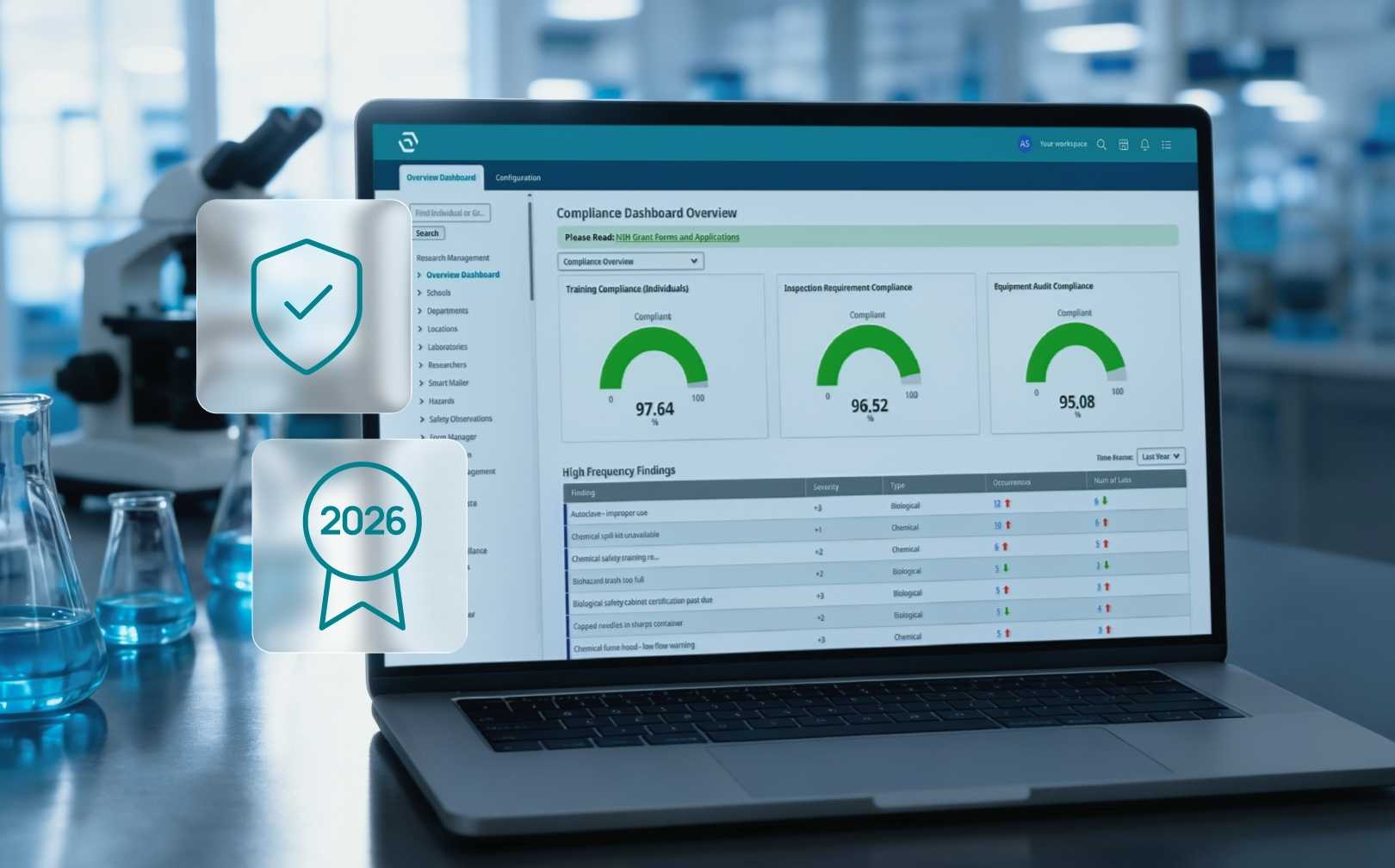
Academic Lab Safety Software: What Universities Should Consider Before Investing
Ease of use, turnover, configurability: what university research institutions should look out for when considering lab safety software.
.jpg)
Download Whitepaper
TL;DR
The right academic lab safety software is the one your researchers, lab staff and principal investigators (PIs) will actually use, because a university's safety and research programs are only as good as the data those people put in.
- Adoption decides whether a system works on campus.
If graduate students, lab managers and PIs find a tool clumsy, they work around it, and environmental health and safety (EHS) teams spend their time chasing incomplete chemical, training and inspection records instead of running the program.
- Built for how universities run.
Look for software that links people, lab groups, spaces and hazards the way your campus actually works, so training and inventory follow the right person.
- Depth inside the lab.
Chemical inventories, safety data sheets (SDS), biosafety protocols, radioisotopes and hazardous waste are where research risk concentrates. SciSure Health & Safety is built around these lab workflows, including ChemTracker for container-level chemical inventory and regulatory reporting where configured.
- Is free lab safety software worth it?
Free and low-cost tools can cover the basics, but you’re likely to run into problems down the line like missing data, manual reconciliation and staff hours lost to reports. Make sure to compare total cost, including implementation, training and cleanup time, alongside the license fee.
- Implementation, security, and growth.
Ask how rollout and researcher training work, how the vendor handles hosting, security and accessibility, and whether it can support research documentation later through an electronic lab notebook (ELN) or laboratory information management system (LIMS).
Ready to see SciSure in action?
No commitment · Free consultation
Most of the universities I work with may or may not be using chemical inventory software. They might have a facilities system, a training platform, a chemical inventory spreadsheet that one person really understands, and maybe a homegrown database someone built a decade ago. What they're short on is information they can trust.
When a university starts looking at academic lab safety software, the conversation usually opens with features. Can it do inspections? Does it track chemicals? Can it produce a Tier II report? Those questions matter. But after more than ten years of helping research institutions with lab safety and chemical inventory, and now leading solutions consulting at SciSure, I've found that the decision comes down to something simpler: will the people in your labs even use it?
Here's what I'd encourage any university to think through before signing a contract.
1. Put ease of use for the end user first
One of the biggest things universities should prioritize is ease of use for the end user. You can have a system with great functionality, but if researchers, lab staff, or PIs find it difficult to use, you're going to struggle to get the participation and information you need.
In fact, when I attended CSHEMA (the Campus Safety, Health and Environmental Management Association conference) this summer, a senior EHS leader described adoption as his single biggest buying criterion. Ahead of module coverage, and ahead of price.
Think about who the end user really is on a university campus. It's the second-year graduate student logging a new bottle of acetonitrile at 6pm on a Friday. It's the postdoc fitting biosafety refresher training between experiments. It's the PI approving a protocol amendment in the same week as a grant deadline and a full teaching load. For every one of them, safety software is a small part of the day. Every extra click is a reason to put it off.
G2 users have also given SciSure Health & Safety Leader badges for Best Usability and Highest User Adoption, which honestly means more to me than any single feature.
"As an EHS professional, I'm able to get all necessary information, i.e., inspections, training, personnel, chemical inventory, etc., all at my fingertips."
- Tom K, Laboratory Safety Program Manager, Enterprise (>1000 employees)
2. Plan for turnover
Every fall, a new cohort of students arrives, and every spring experienced lab members leave. A system that only makes sense after an afternoon of training will always be playing catch-up. So, test your lab safety software of choice with the people who'll actually use it.
For example, put the tool in front of a graduate student, a lab manager, and a PI, and watch them work without a guided demo. Or time a few everyday tasks: adding a chemical container, finding an SDS, checking whether someone's training is current. Make sure to ask how it works at the bench, with barcode scanning or a phone, and not only at a desk.
At SciSure, we measure adoption across our customers' labs instead of assuming it. Averaged across those labs, here's what changed when 30+ labs and organizations implemented SciSure Health & Safety.
Those numbers matter to me because they show people opening the system instead of working around it. It's the same reason we treat the scientist experience as a design requirement.
3. Choose software that works the way a university works
You want a system that understands the relationships between people, lab groups, spaces and hazards, so information lands in the right place without anyone typing it in twice.
Jennifer Ramil, Director of EHS at San Diego State University (SDSU), described exactly this after her team moved to SciSure:
"If a person is in multiple labs, their training applies to all labs... Other systems (besides SciSure) were unable to make these kinds of relationships."
When those links exist, PIs can see what's happening in their own labs, and they start to take part. At SDSU, Jennifer found that this visibility led to "the PIs taking an active role in managing their labs." That's the shift every EHS team hopes for, and it's very hard to get from a system PIs never open.
4. Look for depth where your risk actually is: Inside the lab
A research university holds a lot of risk in a small amount of space. One building might contain thousands of chemical containers, biological agents covered by an Institutional Biosafety Committee (IBC) protocol, radioactive materials and lasers, all looked after by people whose main job is research.
Ask each vendor to walk through these lab-level workflows in detail:
- Chemical inventory
Can you track chemicals at the container level with SDSs attached automatically and locations you can trust?
- Training
Can training be assigned by role and hazard, with automatic reminders, to support requirements like the OSHA Laboratory Standard?
- Biosafety and radiation
Does it support protocol workflows, risk classification and radioisotope inventory?
- Inspections
Can you run lab inspections and self-inspections, track corrective actions, and see coverage across every lab space?
- Regulatory reporting
Can it produce Tier II, Right-to-Know and fire code reports from the inventory you already keep?
SciSure Health & Safety was built around research lab workflows like these. ChemTracker handles container-level chemical inventory with SDS matching, barcode and RFID (radio-frequency identification) scanning, and push-button reports where configured, including Tier II and fire code maximum allowable quantity (MAQ) reports. Those reports support your review with the local fire authority; they don't replace it.
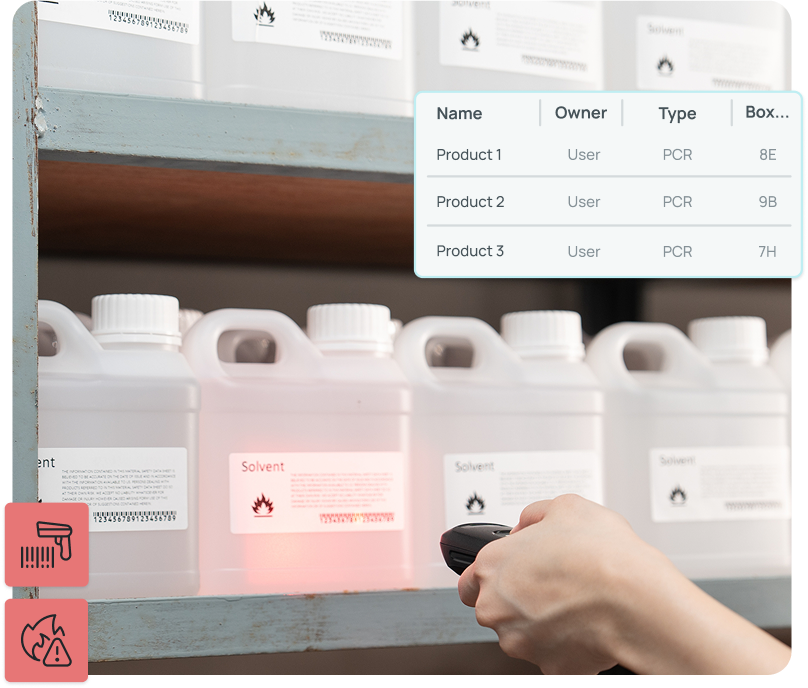
Alongside ChemTracker sit modules for biosafety, radioisotopes, inspections, training, incidents, hazardous waste and medical surveillance, so a university can switch on what it needs.
Pamela Fatland, Director of Occupational and Environmental Health and Safety at Tulane University, summed up what that looks like day to day:
"ChemTracker created a much safer place; people can look up chemicals quickly and discover PPE needs from SDSs."
If you'd like to go further, 5 lab problems ChemTracker solves out of the box and the 5 best EHS software platforms for labs cover each area in more detail.
5. Ask what "low-cost" really costs
In my experience, lower-cost or free solutions can work to a point, but they're often fairly basic and may not be designed around the holistic, end-user experience. If the tool creates friction for the people you rely on to enter or maintain information, it becomes much harder for EHS to standardize, get accurate, complete data and ultimately run a successful program.
The license fee is the easy number. The harder numbers are the hours your team spends reconciling inventories, chasing training records, and building reports by hand. Those costs never appear on a purchase order, but you feel them in every audit and every inspection cycle. When you build your business case, count the license and implementation costs, plus the staff time spent today on data entry, reconciliation and reporting.
Two of our university customers show how big that hidden cost can be:
- At Boston College, lab group reports that used to take all day now take five minutes.
- At SDSU, department-level training compliance reports went from two weeks to 10 minutes, and looking up one person's training went from several hours to about a minute.
6. Treat implementation and training as part of the purchase
Even a great system can stall with a rushed rollout. Most of the common reasons EHS software implementations fail have little to do with the software: unclear ownership, messy data carried over from spreadsheets, and training that doesn't match how people actually work.
That's why you should ask every vendor:
- Who configures the system, and what does a typical university rollout look like?
- How will our existing spreadsheets, old databases and paper records be cleaned up and moved over?
- How are researchers and PIs trained, and what support is there after go-live?
From SDSU, Jennifer described their SciSure rollout as "very easy, organized and informed by best practices," and the results followed. The number of training courses on offer doubled from 8 to 16; annual training records grew from about 500 to more than 4,600, and training compliance rose from 56% to over 80%. That's what happens when people find the training easy to complete.
We've found that lab software ROI starts with implementation, so give this part of your evaluation as much attention as the demo.
7. Check security, hosting, and accessibility early
- Security
Which certifications does the vendor hold, such as ISO/IEC 27001? Where is your data stored, and who can access it?
- Hosting
Can you choose between cloud and on-premises hosting if your research IT team needs it?
- Accessibility
How does the software support accessibility requirements such as the Americans with Disabilities Act (ADA) and Section 508?
SciSure offers cloud, private cloud, and on-premises hosting and publishes its security and compliance details in its Trust Center. For SciSure Health & Safety, you'll need private cloud hosting.
Start with the people who'll use it
If you take one thing into your next evaluation meeting, let it be this: judge every system by how it will feel to the graduate student, the lab manager, and the PI who have to use it every week. Features matter, and depth in research lab workflows matters a lot. Participation is what turns all of it into a working safety program.
If you're in the middle of an evaluation, building a business case for your leadership, or trying to work out why your current system isn't getting used, I'd be glad to talk it through with you.
FAQs
What should universities look for in lab safety software?
Start with how easy it is for researchers, lab staff, and PIs to use. Then check that it links people, lab groups, spaces and hazards, goes deep on chemical inventory, SDS access, biosafety and training, produces the regulatory reports you need, and comes with solid implementation support.
Who should be involved in choosing academic lab safety software?
Involve the people who will run it and the people who will use it. That usually means EHS, research IT, research compliance, or the office of the VP for research, procurement, and at least one PI, lab manager, and graduate student to test everyday tasks.
How can lab software support OSHA Laboratory Standard compliance?
The OSHA Laboratory Standard requires hazard information and training for lab workers, and a written Chemical Hygiene Plan. Software can assign training by role and hazard, track completion, and give people quick access to SDSs. The university still owns its plan, procedures, and oversight.
What results have universities seen with SciSure Health & Safety?
At San Diego State University, training compliance rose from 56% to over 80%, and department-level reports went from two weeks to 10 minutes. At Boston College, training compliance reached up to 97%, and lab group reports went from all day to five minutes.
How can SciSure Health & Safety be hosted?
SciSure Health & Safety (EHS) currently requires Private Cloud hosting. Get in touch with our team to discuss your university’s hosting and data requirements.

Read more of our blogs about modern lab management
Discover the latest in lab operations, from sample management to AI innovations, designed to enhance efficiency and drive scientific breakthroughs.