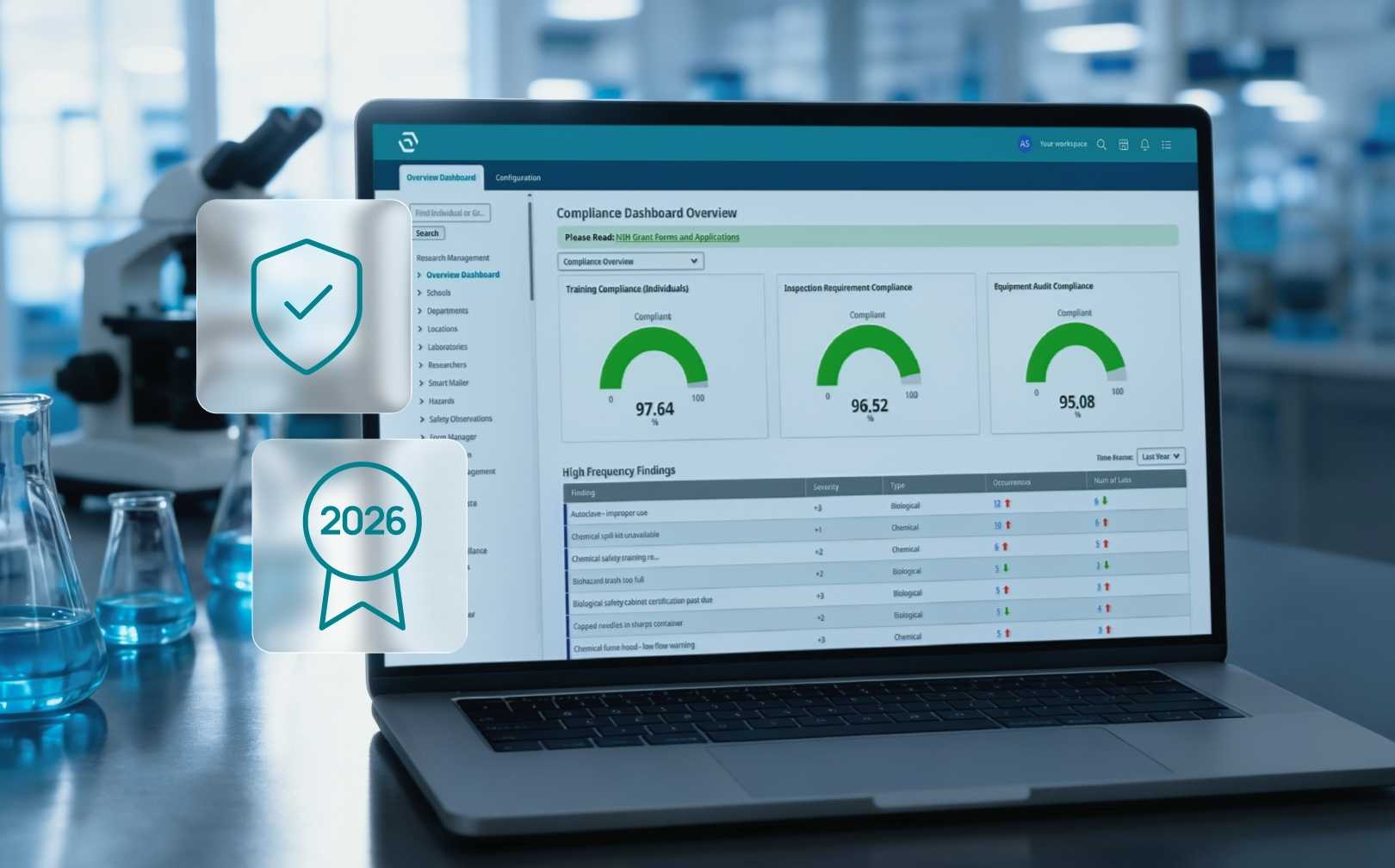
5 Lab Problems SciSure ChemTracker Solves Out of the Box

If you're running a lab, you've also likely run into a lack of cross-lab visibility, manual report generation, or just wondering what's included in your EHS platform. Here's how SciSure's ChemTracker is built to address these all in one go.
September 2, 2026
()
min read
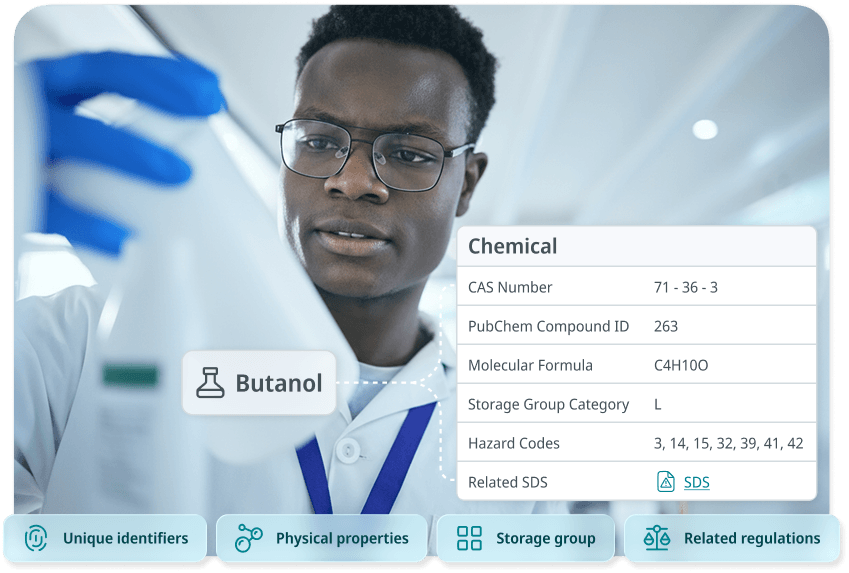
A laboratory

Download Whitepaper

By submitting this form, you agree with our Privacy Policy.
Thank you! Download the file by clicking below:
Download
Oops! Something went wrong while submitting the form.

Table of Contents

Thank you! Your submission has been received!
Oops! Something went wrong while submitting the form.

Table of Contents

TL;DR

SciSure's ChemTracker module includes several features that directly address common EHS pain points, from fragmented lab visibility and hazard communication gaps to compliance reporting, inventory drift, and staff turnover. None of these require additional purchases.

  • Peer Search for cross-lab visibility
    Labs/groups at large institutions often waste time emailing colleagues to find out who has a specific chemical. ChemTracker's Peer Search gives authorized users cross-lab inventory visibility, reducing redundant orders and unnecessary chemical waste.  
  • Built-in Door Signs module.
    Many safety oversight teams assume door sign generation requires a separate tool. SciSure includes a Door Signs module that converts live space and hazard data into printable, dated PDFs, keeping hazard communication current at no extra cost.
  • Compliance reports from centralized data.
    Pulling Tier II, NFPA, fire code, and CFATS reports manually can take safety oversight teams weeks. ChemTracker generates these reports directly from centralized inventory data, where configured, so compliance deadlines become manageable events rather than emergencies. Your team can also pull reports based on regulations if you need a one-off report or if your organization requires specific data.
  • Barcoding and reconciliation tools.
    Barcoding is often treated as an expensive upgrade. ChemTracker's barcode support and reconciliation tools are included in the platform, helping teams maintain inventory accuracy over time, not just at go-live.
  • HR/SSO directory integration.
    Turnover erases institutional knowledge when inventory lives in personal spreadsheets. ChemTracker's permission-based access and HR directory integration keep the right people connected to the right data, automatically, as teams change.

Lab safety software platforms have a reputation for surprises. Maybe a feature you assumed was included turns out to be a paid add-on. Or maybe a report you needed last March requires a configuration your team didn't know existed. Maybe a workflow that seemed simple in the demo needs a third-party integration and weeks of setup.

SciSure built ChemTracker differently. Many of the features that labs and groups discover they need most, often after they've already gone live, were already part of what they licensed. This post walks through five real problems safety oversight teams face in research environments and the ChemTracker capabilities designed to address them.

Problem #1: No one knows what chemicals other labs/groups already have

At large research institutions, labs and groups often operate as islands. A researcher needs a specific reagent, so they order it. Meanwhile, three labs down the hall have a surplus of the same chemical sitting unused in a cabinet.

Without a central view of what's available across campus, this kind of duplication is invisible. The typical workaround is a round of emails, a few phone calls, or a walk down the corridor. None of those approaches scale when you're managing dozens or hundreds of labs or groups. The result is redundant purchasing, unnecessary chemical waste, and a growing volume of hazardous materials to track and eventually dispose of.

The solution: Peer Search

ChemTracker's Peer Search gives authorized users visibility into other labs' chemical inventories. When enabled by the safety oversight team, researchers can see whether another group has a surplus of what they need and request to borrow it rather than reorder.

This is not a marketplace add-on or a paid upgrade. Peer Search is a configuration option built into ChemTracker, one that the SciSure Support and Customer Engagement team walks through with EHS leads during rollout. From a compliance standpoint, fewer containers also means fewer containers to track, reconcile, store, and report.

Problem #2: Hazard information doesn't make it to the door

A lab or group can have excellent internal records and still fail at the most basic point of hazard communication: the door. First responders, visiting researchers, and facilities staff need to know what's inside a space before they walk in. A static paper sign that hasn't been updated in two years doesn't serve that purpose.

This gap tends to grow because maintaining door signs is treated as a task separate from maintaining inventory. So, it rarely gets done consistently. The digital data exists somewhere, but getting it onto a current, accurate, printed sign requires manual effort that doesn't always happen on time.

The solution: Door Signs Module

SciSure's Door Signs module connects directly to the space and hazard data already in the platform. Safety oversight teams configure the digital door sign for each space, including contacts, hazard classifications, NFPA 704 values populated from ChemTracker data, PPE requirements, and entrance precautions. When the information changes, they regenerate the dated, printable PDF.

During a recent implementation call, a safety oversight team mentioned they didn't have the budget for door sign functionality. The SciSure team's response was simple: that capability was already part of the platform they had licensed. Like Peer Search, the Door Signs module doesn't require a separate purchase. It requires knowing it exists and getting it set up correctly during implementation.

San Diego State University’s EHS team began with the SciSure EHS platform and Door Signs to improve visibility into its labs, occupants, and hazards, then expanded into chemical inventory, SDS, hazardous waste, and radioisotope management. This connected approach helped SDSU identify risks faster and confirm that 100% of spaces using chemicals had been inspected.

Customer outcomes · San Diego State University
SDSU's EHS & lab safety program, one year later
One year of program growth after moving training and reporting onto SciSure.
Before
After
Training coursesoffered to researchers and staff
Before
8
courses
After
16
courses
Completed training recordsper year
Before
~500
records
After
4,600+
records
Training complianceacross the program
Before
56%
compliant
After
80%+
compliant
Time to generate reportscompliance and training reporting
Before
1 hr–2 wks
per report
After
Minutes
per report
Source: San Diego State University EHS & Lab Safety program data, year over year.

Problem #3: Pulling a Tier II report still takes weeks

Every year, around March 1st, safety oversight teams at facilities that exceed certain chemical thresholds must submit a Tier II report under EPCRA. Fire code reports are needed on shorter notice, often when something has already gone wrong. NFPA summaries, CFATS screening, and other regulatory outputs all draw from the same underlying chemical data.

For teams without a central inventory system, producing these reports means sending surveys to every lab, collecting spreadsheets in different formats, cleaning and combining the data, and assembling the final report under deadline pressure. That process is expensive in staff time, prone to error, and avoidable.

The solution: Built-in compliance reporting

ChemTracker's built-in reporting includes Federal Tier II and right-to-know outputs, NFPA summaries, International Building Code fire code and maximum allowable quantity reports, and CFATS screening, where configured. These reports draw from the same centralized inventory data that labs/groups maintain throughout the year. Reporting becomes a matter of running a query, not reconstructing data from scratch.

Just keep in mind that both fire code and MAQ reports use IBC 2015 tables as defaults and can be adjusted for sprinklers, cabinets, and control areas as configured. Local codes vary, and the authority having jurisdiction always has the final word on compliance.

ChemTracker provides the data and visibility, but professional judgment and local regulatory review remain the responsibility of the safety oversight team. That said, having centralized, accurate data makes that review significantly easier.

SciSure
Got a safety audit coming up?
Skip the reporting scramble with SciSure's built-in reporting capabilities. Includes Federal Tier III and RTK outputs, NFPA summaries, and CFATS screening, where configured.
Talk to a SciSure specialist

Problem #4: Inventory accuracy drifts after Go-Live

Implementation is the easy part. Keeping inventory accurate over time is where most programs struggle.

Labs are busy. Containers get added, moved, and used without being logged. New researchers join and aren't familiar with the system. Over months, what was once an accurate inventory drifts into a record that no one fully trusts. By the time a reconciliation is needed, the gap between what the system shows and what's on the shelf can be significant.

The solution: Barcoding support and reconciliation tools

Barcoding changes this dynamic. When every container has a unique identifier, adding new items is faster, locating existing items is simpler, and periodic reconciliations take minutes rather than days.

ChemTracker supports barcode and RFID workflows. The reconciliation tool allows safety oversight teams to validate inventory within a physical space by scanning containers and confirming, relocating, or flagging items as needed. The SciSure implementation team also walks you through label formats, scanner recommendations, and rollout logistics as part of the implementation process.
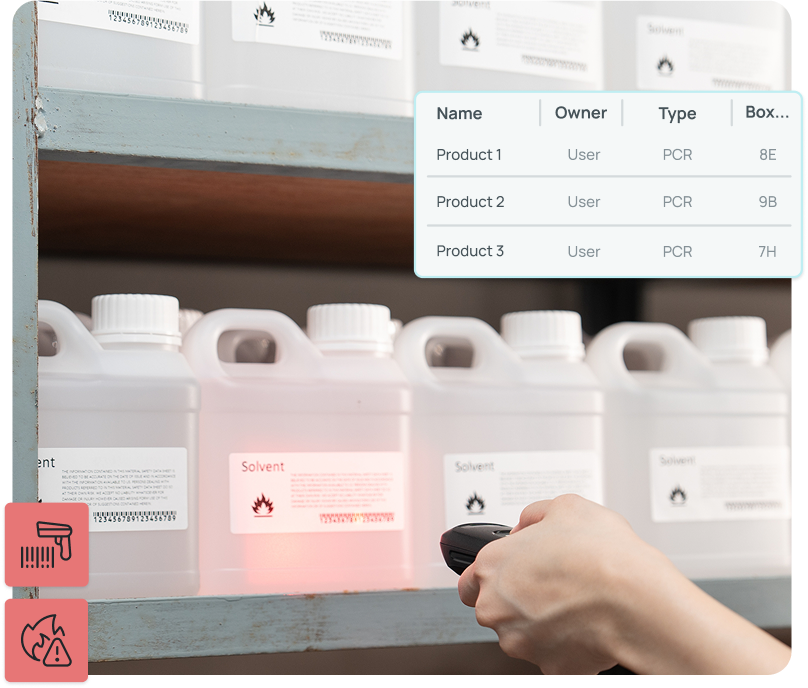
Chemical inventory management with SciSure's barcoding workflows

Getting barcoding set up does require upfront coordination. Labels need to be ordered, labs need to be oriented, and decisions about which containers require tracking need to be made. These are solvable problems, and SciSure's implementation documentation includes a template to help teams think through the logistics. The tools to support barcoded workflows are already part of the platform.

Problem #5: People leave and take their knowledge with them

Academic research environments have constant turnover. Graduate students finish their degrees. Postdocs move to new positions. Lab managers take roles at other institutions. When chemical inventory lives in someone's personal spreadsheet, it tends to leave with them.

The lab or group that loses its experienced researcher doesn't just lose a person. It loses the record of what's in the inventory, who last updated it, and what's been ordered or disposed of. Rebuilding that picture from scratch is time-consuming and often incomplete.

The solution: Shared access, permissions, and HR/SSO integration

ChemTracker approaches this problem through shared, permission-based access. Rather than individual users maintaining their own records, lab groups work from a central inventory that all members can access according to their role. Meaning when someone leaves, the data stays with the group.

For institutions with a university HR directory and single sign-on system, ChemTracker can integrate directly. When HR or IT sunsets an account, the user is removed from their respective groups and can no longer access lab data. If you want to add new users, your group leader can add them and manually assign whether or not they can view and manage lab inventory. The integration runs in the background and once configured during implementation, largely takes care of itself.

An inventory that a full team can access and maintain is far more resilient than one that depends on a single person remembering to update a file.

SciSure's Health & Safety platform comes with all these included

In our experience, the most common reaction safety oversight teams have when they discover one of these capabilities for the first time, whether it's Peer Search, Door Signs, built-in reports, or HR integration, is some version of "We didn't know that was already included."

Safety platforms are large and complex, and most teams focus on the highest-priority workflows first. Getting ChemTracker stood up and in use is the right priority. Making sure you're using everything you've licensed is what comes next.

And if you want to see how it works in practice, here are the results from 30+ labs that implemented SciSure's Health & Safety platform:

SciSure original research
Measuring lab software adoption at scale
Here's what averaged workflow data from 30+ organizations using the SciSure Scientific Management Platform shows.
01Adoption
Are scientists choosing to work inside the system?
88%
faster on everyday tasks
Viewing a chemical record
17.23 min1.39 min
Finding everyone working with a high-risk material
14 hrs14 min
02Engagement
Do they trust it with the complicated work?
99%
faster on complex reporting
Hazard lists across labs and groups
3.5 days5 min
Cross-team messages chasing information
45 / weeknear zero
03Efficiency
How much time comes back to the bench?
88%
less time on admin work
Correcting chemical inventory data, monthly
17.3 hrs<2 min
Compliance summary for leadership
3 days<30 min

If you're not sure which ChemTracker capabilities are active in your current configuration, the best starting point is a conversation with the SciSure team. A review of your setup can surface features that are ready to enable, workflows that haven't been turned on yet, and opportunities to make your safety program more effective without adding to your budget.

Frequently Asked Questions

Is Peer Search available to all ChemTracker customers, or does it require an upgrade?

Peer Search is a configuration option built into ChemTracker, not a separate add-on or paid upgrade. Safety administrators can enable it based on their institution's preferences. The SciSure implementation team typically walks you through the configuration and its implications during rollout and can also help update these post-implementation as well, so you have ongoing support.

How does ChemTracker's Door Signs module stay current as hazard data changes?

The Door Signs module connects to the live space and hazard data maintained in the platform. When hazard information changes, safety oversight teams can update the digital door sign and regenerate the dated PDF. The module also tracks when hazards and signs were last updated and saves previous versions, supporting consistent hazard communication over time.

What compliance reports does ChemTracker support, and are they included in the base platform?

ChemTracker can generate Federal Tier II and right-to-know reports, NFPA summaries, fire code and maximum allowable quantity reports based on IBC 2015 tables, and CFATS screening reports, where configured. These reports are part of ChemTracker and do not require a separate purchase. Configuration and local code requirements vary, and safety oversight teams should always apply current local codes and professional judgment alongside the reports the platform generates.

For example, some of ChemTrackers reports include By Regulation and By Constituent reports. These can help you pull data if you need a more customized report – for e.g., a one-off report showing your supervisors the number of peroxide-forming materials on campus.

How does ChemTracker handle staff turnover in academic labs?

ChemTracker uses permission-based access so that chemical inventory belongs to the lab group rather than to individual users. When members join or leave, administrators update access within the system. For institutions with an HR directory and single sign-on, SciSure can integrate directly, automating account management so that active users have access, and departing users do not. This integration is typically set up during implementation.

Does implementing barcoding in ChemTracker require additional software or licensing?

Barcode and RFID support, along with the reconciliation tool, are included in ChemTracker. Institutions need compatible barcode scanners and labels, which are sourced externally, but the ChemTracker functionality to support barcode workflows does not require an additional purchase. SciSure's implementation team provides guidance on label formats, scanner recommendations, and rollout logistics as part of the implementation process.

If this sounds like the kind of support you need, get in touch with us. We've been implementing software across academia, biotechs, incubators, and multi-site enterprise facilities - all built to adapt to your workflows, not the other way round.

Ready to see SciSure in action?

Get a personalized demo and see how SciSure fits your lab's workflows.
Request demo

No commitment · Free consultation

Lab safety software platforms have a reputation for surprises. Maybe a feature you assumed was included turns out to be a paid add-on. Or maybe a report you needed last March requires a configuration your team didn't know existed. Maybe a workflow that seemed simple in the demo needs a third-party integration and weeks of setup.

SciSure built ChemTracker differently. Many of the features that labs and groups discover they need most, often after they've already gone live, were already part of what they licensed. This post walks through five real problems safety oversight teams face in research environments and the ChemTracker capabilities designed to address them.

Problem #1: No one knows what chemicals other labs/groups already have

At large research institutions, labs and groups often operate as islands. A researcher needs a specific reagent, so they order it. Meanwhile, three labs down the hall have a surplus of the same chemical sitting unused in a cabinet.

Without a central view of what's available across campus, this kind of duplication is invisible. The typical workaround is a round of emails, a few phone calls, or a walk down the corridor. None of those approaches scale when you're managing dozens or hundreds of labs or groups. The result is redundant purchasing, unnecessary chemical waste, and a growing volume of hazardous materials to track and eventually dispose of.

The solution: Peer Search

ChemTracker's Peer Search gives authorized users visibility into other labs' chemical inventories. When enabled by the safety oversight team, researchers can see whether another group has a surplus of what they need and request to borrow it rather than reorder.

This is not a marketplace add-on or a paid upgrade. Peer Search is a configuration option built into ChemTracker, one that the SciSure Support and Customer Engagement team walks through with EHS leads during rollout. From a compliance standpoint, fewer containers also means fewer containers to track, reconcile, store, and report.

Problem #2: Hazard information doesn't make it to the door

A lab or group can have excellent internal records and still fail at the most basic point of hazard communication: the door. First responders, visiting researchers, and facilities staff need to know what's inside a space before they walk in. A static paper sign that hasn't been updated in two years doesn't serve that purpose.

This gap tends to grow because maintaining door signs is treated as a task separate from maintaining inventory. So, it rarely gets done consistently. The digital data exists somewhere, but getting it onto a current, accurate, printed sign requires manual effort that doesn't always happen on time.

The solution: Door Signs Module

SciSure's Door Signs module connects directly to the space and hazard data already in the platform. Safety oversight teams configure the digital door sign for each space, including contacts, hazard classifications, NFPA 704 values populated from ChemTracker data, PPE requirements, and entrance precautions. When the information changes, they regenerate the dated, printable PDF.

During a recent implementation call, a safety oversight team mentioned they didn't have the budget for door sign functionality. The SciSure team's response was simple: that capability was already part of the platform they had licensed. Like Peer Search, the Door Signs module doesn't require a separate purchase. It requires knowing it exists and getting it set up correctly during implementation.

San Diego State University’s EHS team began with the SciSure EHS platform and Door Signs to improve visibility into its labs, occupants, and hazards, then expanded into chemical inventory, SDS, hazardous waste, and radioisotope management. This connected approach helped SDSU identify risks faster and confirm that 100% of spaces using chemicals had been inspected.

Customer outcomes · San Diego State University
SDSU's EHS & lab safety program, one year later
One year of program growth after moving training and reporting onto SciSure.
Before
After
Training coursesoffered to researchers and staff
Before
8
courses
After
16
courses
Completed training recordsper year
Before
~500
records
After
4,600+
records
Training complianceacross the program
Before
56%
compliant
After
80%+
compliant
Time to generate reportscompliance and training reporting
Before
1 hr–2 wks
per report
After
Minutes
per report
Source: San Diego State University EHS & Lab Safety program data, year over year.

Problem #3: Pulling a Tier II report still takes weeks

Every year, around March 1st, safety oversight teams at facilities that exceed certain chemical thresholds must submit a Tier II report under EPCRA. Fire code reports are needed on shorter notice, often when something has already gone wrong. NFPA summaries, CFATS screening, and other regulatory outputs all draw from the same underlying chemical data.

For teams without a central inventory system, producing these reports means sending surveys to every lab, collecting spreadsheets in different formats, cleaning and combining the data, and assembling the final report under deadline pressure. That process is expensive in staff time, prone to error, and avoidable.

The solution: Built-in compliance reporting

ChemTracker's built-in reporting includes Federal Tier II and right-to-know outputs, NFPA summaries, International Building Code fire code and maximum allowable quantity reports, and CFATS screening, where configured. These reports draw from the same centralized inventory data that labs/groups maintain throughout the year. Reporting becomes a matter of running a query, not reconstructing data from scratch.

Just keep in mind that both fire code and MAQ reports use IBC 2015 tables as defaults and can be adjusted for sprinklers, cabinets, and control areas as configured. Local codes vary, and the authority having jurisdiction always has the final word on compliance.

ChemTracker provides the data and visibility, but professional judgment and local regulatory review remain the responsibility of the safety oversight team. That said, having centralized, accurate data makes that review significantly easier.

SciSure
Got a safety audit coming up?
Skip the reporting scramble with SciSure's built-in reporting capabilities. Includes Federal Tier III and RTK outputs, NFPA summaries, and CFATS screening, where configured.
Talk to a SciSure specialist

Problem #4: Inventory accuracy drifts after Go-Live

Implementation is the easy part. Keeping inventory accurate over time is where most programs struggle.

Labs are busy. Containers get added, moved, and used without being logged. New researchers join and aren't familiar with the system. Over months, what was once an accurate inventory drifts into a record that no one fully trusts. By the time a reconciliation is needed, the gap between what the system shows and what's on the shelf can be significant.

The solution: Barcoding support and reconciliation tools

Barcoding changes this dynamic. When every container has a unique identifier, adding new items is faster, locating existing items is simpler, and periodic reconciliations take minutes rather than days.

ChemTracker supports barcode and RFID workflows. The reconciliation tool allows safety oversight teams to validate inventory within a physical space by scanning containers and confirming, relocating, or flagging items as needed. The SciSure implementation team also walks you through label formats, scanner recommendations, and rollout logistics as part of the implementation process.

Chemical inventory management with SciSure's barcoding workflows

Getting barcoding set up does require upfront coordination. Labels need to be ordered, labs need to be oriented, and decisions about which containers require tracking need to be made. These are solvable problems, and SciSure's implementation documentation includes a template to help teams think through the logistics. The tools to support barcoded workflows are already part of the platform.

Problem #5: People leave and take their knowledge with them

Academic research environments have constant turnover. Graduate students finish their degrees. Postdocs move to new positions. Lab managers take roles at other institutions. When chemical inventory lives in someone's personal spreadsheet, it tends to leave with them.

The lab or group that loses its experienced researcher doesn't just lose a person. It loses the record of what's in the inventory, who last updated it, and what's been ordered or disposed of. Rebuilding that picture from scratch is time-consuming and often incomplete.

The solution: Shared access, permissions, and HR/SSO integration

ChemTracker approaches this problem through shared, permission-based access. Rather than individual users maintaining their own records, lab groups work from a central inventory that all members can access according to their role. Meaning when someone leaves, the data stays with the group.

For institutions with a university HR directory and single sign-on system, ChemTracker can integrate directly. When HR or IT sunsets an account, the user is removed from their respective groups and can no longer access lab data. If you want to add new users, your group leader can add them and manually assign whether or not they can view and manage lab inventory. The integration runs in the background and once configured during implementation, largely takes care of itself.

An inventory that a full team can access and maintain is far more resilient than one that depends on a single person remembering to update a file.

SciSure's Health & Safety platform comes with all these included

In our experience, the most common reaction safety oversight teams have when they discover one of these capabilities for the first time, whether it's Peer Search, Door Signs, built-in reports, or HR integration, is some version of "We didn't know that was already included."

Safety platforms are large and complex, and most teams focus on the highest-priority workflows first. Getting ChemTracker stood up and in use is the right priority. Making sure you're using everything you've licensed is what comes next.

And if you want to see how it works in practice, here are the results from 30+ labs that implemented SciSure's Health & Safety platform:

SciSure original research
Measuring lab software adoption at scale
Here's what averaged workflow data from 30+ organizations using the SciSure Scientific Management Platform shows.
01Adoption
Are scientists choosing to work inside the system?
88%
faster on everyday tasks
Viewing a chemical record
17.23 min1.39 min
Finding everyone working with a high-risk material
14 hrs14 min
02Engagement
Do they trust it with the complicated work?
99%
faster on complex reporting
Hazard lists across labs and groups
3.5 days5 min
Cross-team messages chasing information
45 / weeknear zero
03Efficiency
How much time comes back to the bench?
88%
less time on admin work
Correcting chemical inventory data, monthly
17.3 hrs<2 min
Compliance summary for leadership
3 days<30 min

If you're not sure which ChemTracker capabilities are active in your current configuration, the best starting point is a conversation with the SciSure team. A review of your setup can surface features that are ready to enable, workflows that haven't been turned on yet, and opportunities to make your safety program more effective without adding to your budget.

Frequently Asked Questions

Is Peer Search available to all ChemTracker customers, or does it require an upgrade?

Peer Search is a configuration option built into ChemTracker, not a separate add-on or paid upgrade. Safety administrators can enable it based on their institution's preferences. The SciSure implementation team typically walks you through the configuration and its implications during rollout and can also help update these post-implementation as well, so you have ongoing support.

How does ChemTracker's Door Signs module stay current as hazard data changes?

The Door Signs module connects to the live space and hazard data maintained in the platform. When hazard information changes, safety oversight teams can update the digital door sign and regenerate the dated PDF. The module also tracks when hazards and signs were last updated and saves previous versions, supporting consistent hazard communication over time.

What compliance reports does ChemTracker support, and are they included in the base platform?

ChemTracker can generate Federal Tier II and right-to-know reports, NFPA summaries, fire code and maximum allowable quantity reports based on IBC 2015 tables, and CFATS screening reports, where configured. These reports are part of ChemTracker and do not require a separate purchase. Configuration and local code requirements vary, and safety oversight teams should always apply current local codes and professional judgment alongside the reports the platform generates.

For example, some of ChemTrackers reports include By Regulation and By Constituent reports. These can help you pull data if you need a more customized report – for e.g., a one-off report showing your supervisors the number of peroxide-forming materials on campus.

How does ChemTracker handle staff turnover in academic labs?

ChemTracker uses permission-based access so that chemical inventory belongs to the lab group rather than to individual users. When members join or leave, administrators update access within the system. For institutions with an HR directory and single sign-on, SciSure can integrate directly, automating account management so that active users have access, and departing users do not. This integration is typically set up during implementation.

Does implementing barcoding in ChemTracker require additional software or licensing?

Barcode and RFID support, along with the reconciliation tool, are included in ChemTracker. Institutions need compatible barcode scanners and labels, which are sourced externally, but the ChemTracker functionality to support barcode workflows does not require an additional purchase. SciSure's implementation team provides guidance on label formats, scanner recommendations, and rollout logistics as part of the implementation process.

If this sounds like the kind of support you need, get in touch with us. We've been implementing software across academia, biotechs, incubators, and multi-site enterprise facilities - all built to adapt to your workflows, not the other way round.

About the author:

Zoe Nordquist

Zoe Nordquist is a Software Configuration Specialist at SciSure (formerly SciShield) and supports Customer Implementation, Engagement, and Support teams in configuring client websites to their specifications. She also manages SciSure's customer-facing educational content and community-building efforts. In previous roles, Zoe worked as a Laboratory Safety and Industrial Hygiene Officer at the University of Massachusetts Amherst and holds a B.Sc in Chemistry from the College of Idaho.

See all posts from this author

Sign up for our newsletter

Get the latest tips, articles, and exclusive content on modern lab management delivered to your inbox.
Thank you for subscribing!
Please check your email to verify your submission.
Oops! Something went wrong while submitting the form.