Cold Storage Mapping for Research Labs: A Practical Guide
Every minute spent hunting through racks is a minute the door stays open. Here's how your research lab can handle cold storage mapping.
Download Whitepaper
TL;DR
Cold storage mapping in a research lab means two maps: a temperature map that shows where a freezer or cold room runs warm or cold, and a location map that shows exactly which samples sit in each of those spots.
- What temperature mapping is.
A mapping study places several calibrated data loggers across a freezer, freezer room, or cold room to find hot spots, cold spots and zones where nothing should be stored. WHO guidance suggests running cold room and freezer room studies for 24 to 72 hours, then using the results to place the permanent monitoring probe.
- When to map again.
Mapping is a periodic study, while monitoring runs every day. Re-map after a move, compressor repair, a setpoint change or a big change in how full the unit is. WHO's guidance gives every three years as one example interval for storage areas, and many labs choose a shorter, risk-based schedule.
- Why the second map matters.
A mapping report can tell you that the top shelf near the door runs warmest, but it can't tell you whose cell lines, plasmids or patient-derived samples are on that shelf. Without an accurate sample location record, every alarm or hot-spot finding turns into a manual search through spreadsheets and freezer boxes.
- Where SciSure fits.
SciSure gives research teams a digital copy of their cold storage, from freezer to rack, box and position, which lab admins can set up independently without custom development. Each sample links to the experiments that used or created it, and temperature monitoring can be added through Marketplace add-ons where configured.
- Starting from spreadsheets.
Most labs already have years of freezer data in Excel. A staged import, with clean user names, storage IDs, box positions and barcodes, gets that history into SciSure without stopping the bench work. Records that can't be placed yet can be parked and cleaned up later.
Ready to see SciSure in action?
No commitment · Free consultation
Why research labs need two cold storage maps
Most guidance on cold storage mapping is written for pharmaceutical warehouses. It focuses on one question: does this space hold its temperature everywhere products are stored? That question matters in research labs too, but labs have a second problem warehouses rarely have: hundreds of small, irreplaceable samples, owned by different people, spread across shelves, racks and boxes that change every week.
This guide covers both maps. First, how to run a practical temperature mapping study in a freezer or cold room. Then, how to keep an accurate map of what's stored where, so the mapping results (and the next alarm) lead to action instead of a box-by-box search. Along the way, we'll show how research lab teams use SciSure to keep that second map current.
What cold storage mapping guidance applies to a research lab?
The most widely used reference is WHO Technical Report Series No. 961, Annex 9, and its 2015 supplement on mapping storage areas. It was written for pharmaceutical storage and distribution, but it describes a method that works in any cold room or freezer room, and it names laboratories among the spaces that may need mapping.
The WHO report does not cover small refrigerators and freezers, which it treats as independently tested equipment that still needs correct installation and use (WHO, 2015). In the US, the USP general chapters on good storage and distribution practices, starting with <1079>, cover similar ground for drug products.
For a discovery lab or academic group, none of this is usually a legal requirement. It's still a sound, widely used method, and it gives you evidence you can show a safety officer, funder, or auditor. If your lab stores material for GLP studies, clinical work or regulated testing, your quality team sets the actual requirement, so check with them before you design a study.
How to map a freezer or cold room, step by step
The WHO method has four stages: write a protocol, run the study, write a report, then act on what it found (WHO, 2015). Here's how that looks for a typical research lab.
Write a short protocol first.
Describe the unit, why you're mapping it, the acceptable temperature range and who signs off. WHO recommends approving the protocol before the study starts, so nobody changes the rules halfway through.
Pick calibrated loggers rated for your temperature.
WHO asks for loggers with a traceable three-point calibration, an error of no more than ±0.5 °C, and a recording interval between 1 and 15 minutes. Use one logger model per study and give every logger the same start time, or the readings won't line up. For a -80 °C freezer, check the logger's rated range before you buy.
Place loggers where samples actually live.
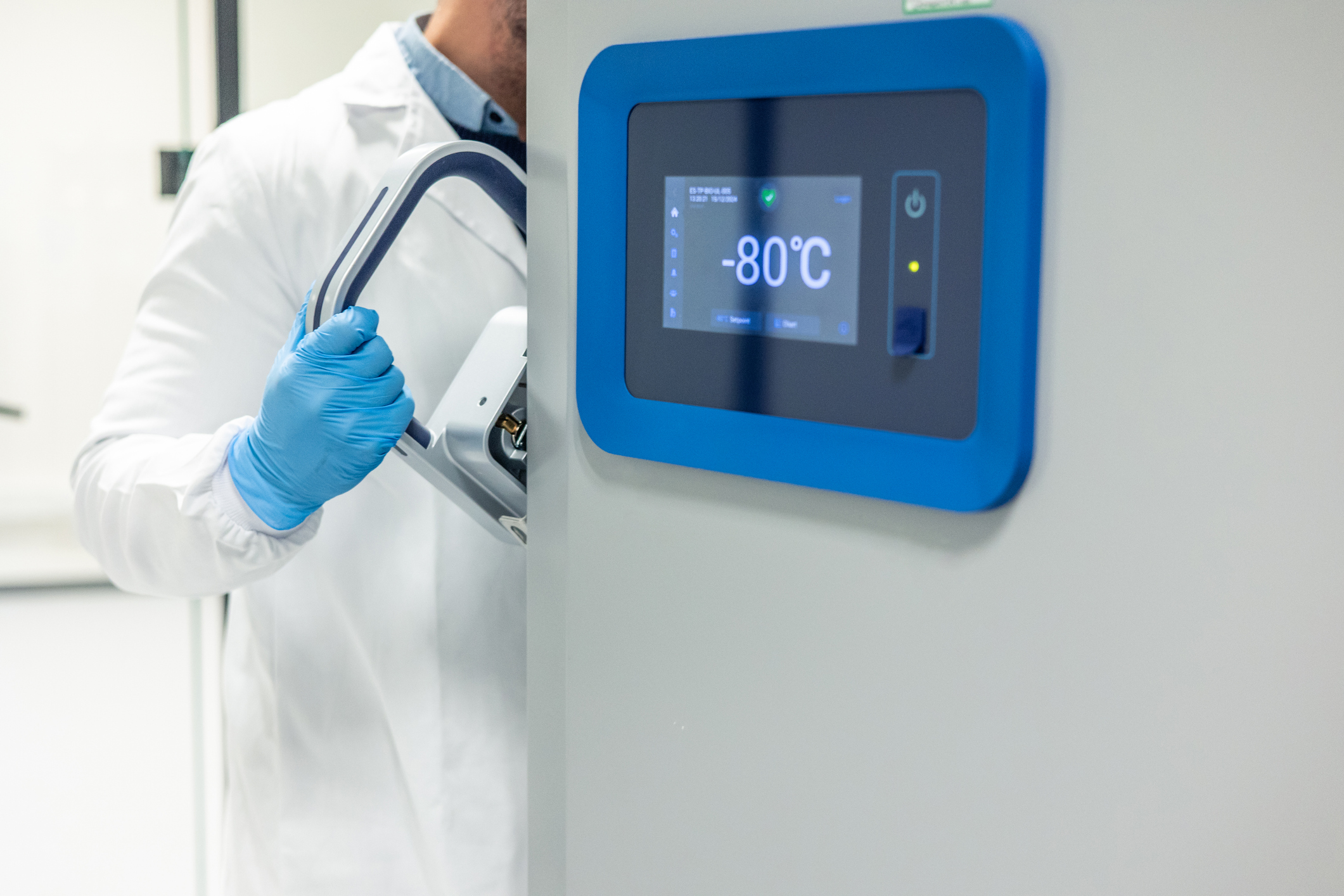
In a walk-in cold room, WHO suggests a grid with loggers at low, middle, and high levels (for example, floor level, 1.2 m and 3.0 m when the ceiling is 3.6 m or lower). In an upright freezer, cover every shelf you use, plus the spots most likely to drift, i.e. near the door seal, near the evaporator, the far corners, and the top and bottom shelves (CASRAI). Give each position an ID and draw it on a simple diagram.
Run the study under normal use.
For freezer rooms and cold rooms, WHO suggests 24 to 72 hours, longer if a defrost cycle or usage pattern needs more time to show up. Keep a door log so you can match spikes to openings. A loaded study reflects real use better than an empty one, because racks and boxes change the airflow.
Add two quick stress tests.
A door-open test shows how long the door can stay open during normal access before the unit drifts out of range. A power-off (holdover) test shows how long you have to react after a power failure. Both numbers belong in your SOP and on the alarm response sheet.
Analyze each logger.
Record the minimum, maximum, and mean for every position. Look for consistent patterns, not just one-off peaks. The warmest position that stays in range is your hot spot. Anything outside range is a zone you shouldn't use.
Act on the results.
Move the permanent monitoring probe to the worst-case position, mark no-store zones, and decide what goes where. WHO lists this as the real point of the exercise: a drawing of where products can safely be stored, and storage positions assigned in your management system, so stock ends up in the right place.
Plan to re-map whenever something changes the unit's behavior: a move, a compressor or refrigerant repair, a new setpoint, or a big change in how full it is. WHO also suggests re-mapping when monitoring records show unexplained variability.
The second map: Knowing what's stored where
Acting on the results is where many research labs get stuck. The mapping report says shelf 1, near the door, runs 4 °C warmer than the rest of the freezer. Great. Now what's on shelf 1?
In a warehouse, a management system answers that in seconds. In many labs, the answer lives in a spreadsheet that someone last updated in March, a box label written in marker, or the memory of a postdoc who left in the summer. The mapping results end up in a PDF, and nothing moves.
The same gap shows up every time something goes wrong:
- An overnight alarm
Which samples were on the affected shelf, who owns them, and which ones can't be replaced?
- A hot spot from the mapping study
Which boxes need to move, and where is there free space in a unit that runs cold enough?
- A failed unit
Where can 400 boxes go in the next hour, and how will anyone find them next week?
- A strange result months later
Was this aliquot stored in the warm zone, and which experiments used material from the same box?
Searching by hand also costs the cold chain itself. Every minute spent hunting through racks is a minute the door stays open.
Euroimmun US saw this when they moved from Excel spreadsheets and staff memory to SciSure. Their team found samples faster, retrieved the wrong sample less often, and cut unnecessary freeze-thaw cycles. Because doors stayed open for less time during retrieval, they also reduced the energy their cold storage units used.
A location map is only useful if it matches the freezer exactly and stays current without heroic effort. That's where purpose-built sample management software earns its place.
How SciSure keeps your sample location map current
SciSure's sample management is built for research teams who store precious material: cell lines, tissue, DNA, proteins, compounds and anything else that gets used in an experiment, made in one, or kept for later. It doesn't replace your mapping study or your calibrated loggers. It gives the results of that study somewhere to land.
Set it up yourself, the way your freezers actually look
You shouldn't need a consultant or custom code to add a new freezer or a new sample type. In SciSure, lab admins configure storage and samples from the interface:
- Storage that mirrors reality
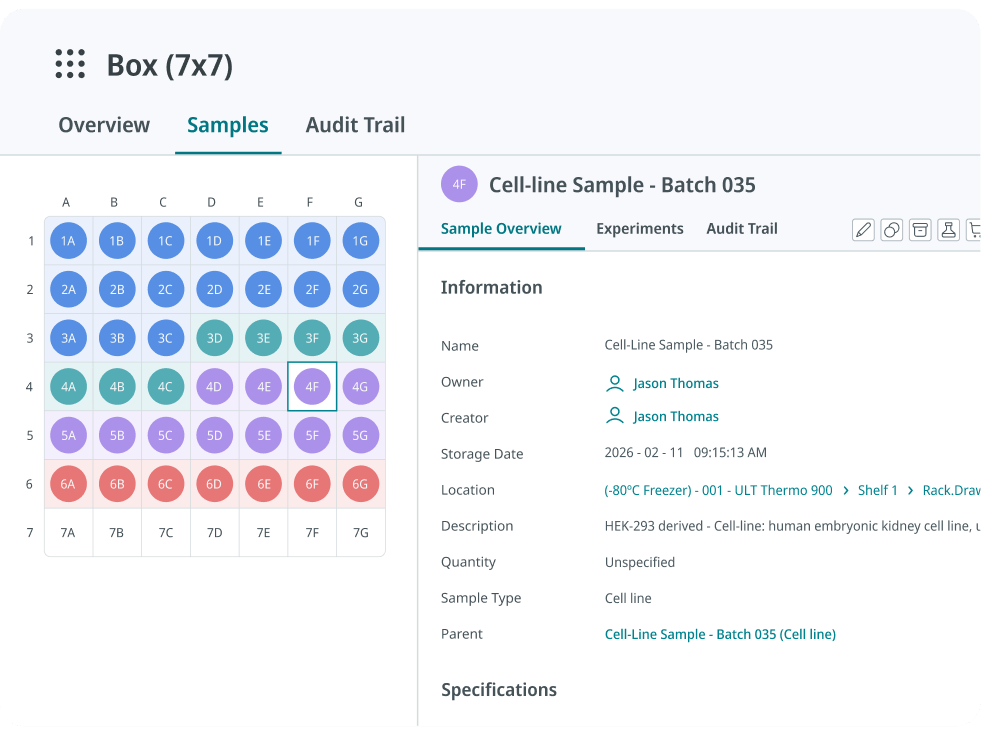
Model -80 °C and -20 °C freezers, fridges, liquid nitrogen tanks, cabinets and cold rooms, then add the layers inside them: shelves, racks, drawers, boxes and positions. Reusable templates and bulk compartment creation mean a new freezer with 20 identical racks takes minutes, not an afternoon.
- Sample types that fit your science
Start from a template or build your own, with the fields your lab needs (passage number, concentration, donor ID, expiry date), required fields, dropdowns and auto-numbering.
- Physical context
Record building, floor and room for each storage unit, so a hot-spot finding or an alarm maps straight to a location in the system.
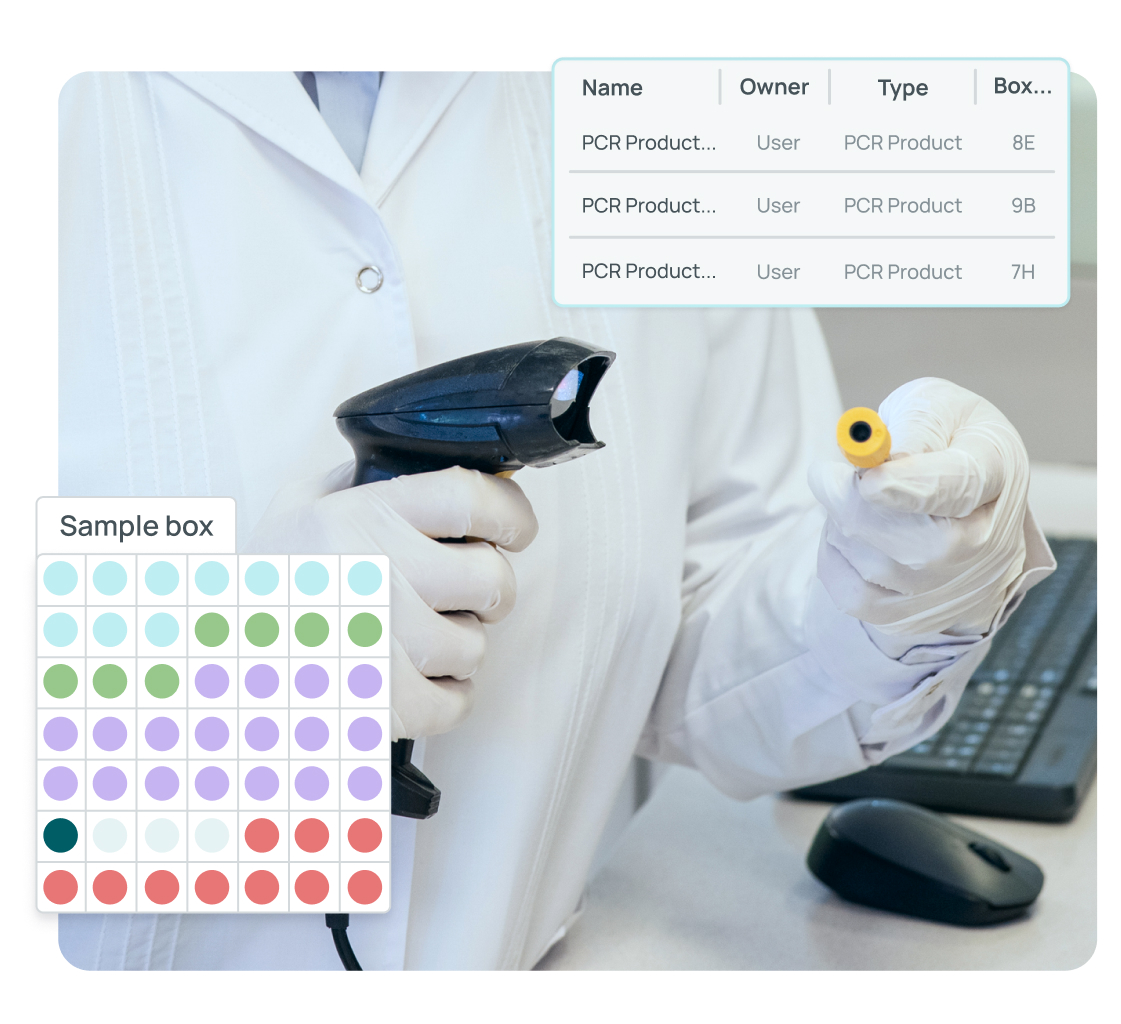
When the mapping study finds a warm zone, you can reserve or rearrange those positions, search for free space in a unit that runs within range, and move boxes in bulk, with every move recorded.
Connect samples to the work they support
Every sample can carry its location, quantity, owner, parent sample and status, along with an audit trail of who changed what and when. Samples link both ways to experiments in SciSure's electronic lab notebook: the experiment lists the samples it used or created, and the sample shows every experiment it was part of. If a box sat in a warm zone, you can see which results depended on it.
Barcodes, label printing, and the mobile app speed up the daily work of checking samples in and out. Expiry dates and quantity thresholds can trigger reminders. For continuous temperature and humidity monitoring with deviation alerts, SciSure connects to monitoring tools through Marketplace add-ons, where configured.
Move off spreadsheets without stopping research
The biggest reason labs put this off is the size of the job. Years of freezer data sit in spreadsheets, and the thought of moving it feels daunting. It is real work, but it can be staged:
- Clean before you move.
Match owner names to real user accounts, give every storage location a consistent ID, record box positions as numbers, make barcodes unique and pick one date format.
- Start with one freezer.
Import it, check it against the physical unit, and fix your templates before you scale.
- Park what you can't place yet.
Records with unclear locations can go into an unspecified location in SciSure and be cleaned up as people find the boxes, so they don't block the rest of the import.
- Keep it current from day one.
Once a unit is live, every check-in, move and disposal happens in SciSure, so the map never drifts back into a spreadsheet.
FAQs
What is cold storage mapping?
Cold storage mapping is a study that places several calibrated data loggers across a freezer, freezer room, or cold room to measure how temperature varies inside it. It identifies hot spots, cold spots, and zones where samples shouldn't be stored, and shows where the permanent monitoring probe should go.
How long should a freezer or cold room mapping study run?
WHO guidance suggests 24 to 72 hours for freezer rooms and cold rooms, longer if defrost cycles or usage patterns need more time to show up. Ambient storage areas need at least seven days.
How often should a lab freezer be re-mapped?
Re-map after any change that could affect performance: relocation, compressor or refrigerant repairs, a setpoint change or a big change in load. Many labs also re-map on a fixed, risk-based schedule. WHO gives every three years as one example for storage areas.
How many data loggers do I need to map a -80 °C freezer?
There's no single number. Cover every shelf you use, plus the positions most likely to drift: near the door seal, near the evaporator, corners, and the top and bottom shelves. Justify the count in your protocol based on the unit's layout and airflow.
What's the difference between temperature mapping and temperature monitoring?
Mapping is a short, periodic study with many loggers that shows how temperature varies across a unit. Monitoring uses one or more permanent sensors to watch the unit every day. A good mapping study tells you where the monitoring sensor should go.
Does SciSure perform temperature mapping?
No. Temperature mapping needs calibrated loggers and a defined protocol. SciSure keeps the sample location map: which samples sit in which freezer, rack, box and position, who owns them and which experiments used them. Continuous temperature monitoring can be connected through Marketplace add-ons where configured.
Can I migrate my existing freezer spreadsheets into SciSure?
Yes. Labs can import existing samples and storage data in stages, starting with one freezer. Cleaning owner names, storage IDs, box positions, barcodes and date formats before the import makes it much faster, and records with unclear locations can be parked and fixed later. Check out our guide on migrating a freezer inventory from spreadsheets for more details.
Keep reading
- Lab Sample Tracking: A Practical Guide for Research Labs
- 7 Critical Features to Look for in a Sample Management Platform
- Best Sample Management and Tracking Software for Labs
- The Hidden Cost of Manual Lab Data Entry & Poor Sample Management
- The 5 Best Electronic Lab Notebooks (ELN) in 2026 Ranked by Ease-of-Use & ROI: Based on Real User Reviews

Read more of our blogs about modern lab management
Discover the latest in lab operations, from sample management to AI innovations, designed to enhance efficiency and drive scientific breakthroughs.