Structured Data in an ELN: A Buyer's Guide

What can you do with structured data in an ELN? See how to test formulas, reuse templates, and compare results across experiments in your next demo.

•
November 26, 2026
•
()
min read
A laboratory

Download Whitepaper

By submitting this form, you agree with our Privacy Policy.
Thank you! Download the file by clicking below:
Download
Oops! Something went wrong while submitting the form.

Table of Contents

Thank you! Your submission has been received!
Oops! Something went wrong while submitting the form.

TL;DR

  • What is structured data in an ELN?
    It means recording values in a consistent format. For example, each experiment has the same labeled places for a sample ID, a measurement, and its unit.
  • What should you test during an experiment?
    Try a formula your team uses, then start two experiments from the same template. Check that both runs have the layout, units, and calculations your team expects.
    ‍
  • Can you compare results across experiments?
    Ask the vendor to pull the same measurement from several runs into one report. See whether you can query individual values in the ELN or need another tool to extract them from files.

Your lab wants to know whether results changed after a method update. One scientist recorded the measurement in a spreadsheet, another used a different label, and a few runs used different units. Before anyone can answer the question, someone has to open the records, match the measurements, and check the units. If you run that report every week, the cleanup becomes part of the job.

What structured data means in a lab notebook

In an electronic lab notebook (ELN), structured data gives each piece of information a defined place and meaning. Say you record a result of 8.4 mg/L for sample A17. With a structured layout, the sample ID, measurement name, value, and unit each have a labeled place. The next scientist knows where to enter the same information, and the person reviewing the results knows what each value represents.

That structure helps at the bench. If readings go in the same places each time, scientists can reuse the same calculation and check the result while they still have the inputs in front of them. When someone starts the next run, they can use the same layout and formulas. And when a colleague reviews the work, they can follow how the result was calculated.

The way the ELN stores those values matters when you need them across experiments. A reusable spreadsheet can give each value a predictable place within a workbook. A queryable ELN field lets you request a specific value across experiment records. When the results live inside separate workbooks, a reporting process may need to retrieve each file and extract the right values. How much that matters depends on which results you need, how often you need them, and who will do the work.

Use these three checks with an experiment your team actually runs. Bring a worksheet, a few sample records, and a question someone in your lab needs to answer.

1. Can scientists calculate results inside an experiment?

What to look for

Pick a calculation you use to finish or review a run. If your team relies on a workbook with several tabs or uses a chart to spot unexpected readings, bring that workbook to the demo. Include sample inputs and an expected result so you can check the output.

What to ask in a demo

‍“Can you enter these readings and run our calculation from the experiment record?” Ask the vendor to build any chart you use, then change one input. Have someone reopen the record and find the readings, formula, and result.

How to judge the answer

‍Check that the calculation gives the expected result and that correcting a reading updates the output. Watch for steps someone would repeat every run, such as copying a result back into the notebook or replacing a chart. If the vendor opens a finished example, ask to see what happens when a scientist edits the inputs.

In SciSure, you can use embedded Excel for formulas and charts within an experiment. Ask to try your workbook in the Excel editing setup your team would use.
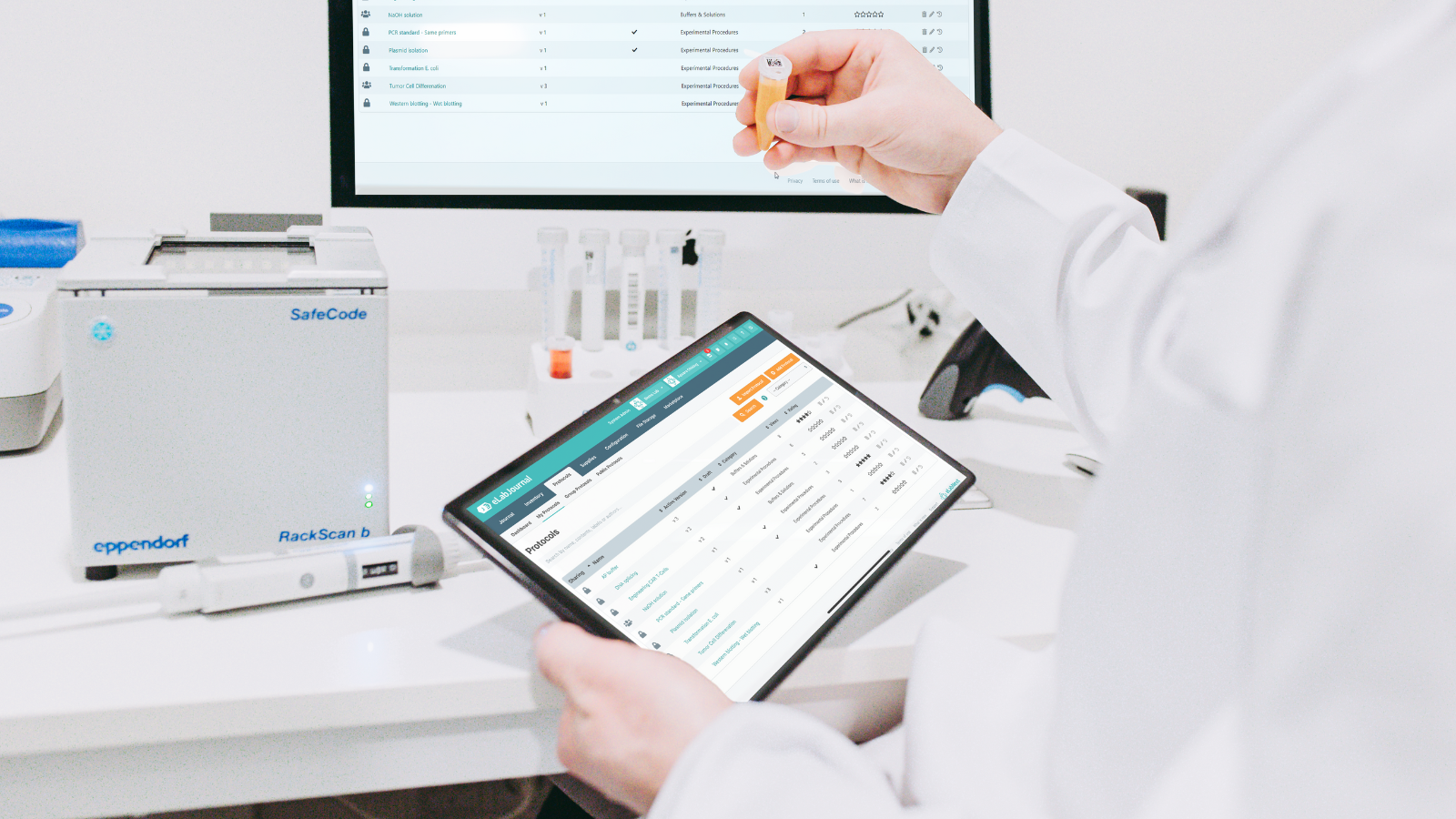
SciSure's Electronic Lab Notebook (ELN)

2. Can your team record data consistently as methods change?

What to look for

‍Decide what everyone should start with, such as the same measurement labels, units, and formulas. Then identify any rules the system needs to enforce. Providing a place for a sample ID and requiring that ID before submission are two separate requirements.

What to ask in a demo

‍“Can two scientists start fresh experiments from the same template?” Compare what each person sees before entering data. If your lab needs validation, leave a field blank or enter text where a number should go. Then ask someone to add a measurement column to the template. Check who can make the edit, what the next scientist sees, and where you can review the change.

How to judge the answer

‍Both scientists should be able to start without recreating the worksheet or guessing which units to use. If your lab has a mandatory rule, test it at the point where it matters. A warning might be enough for your team, or you might need the ELN to prevent submission until the entry is corrected. If your methods change often, check whether the people who own the method can manage routine template updates.

SciSure Experiment Templates give teams a shared spreadsheet layout and calculations. Scientists with permission to edit templates can adapt them as methods change, with changes traceable through the audit trail.
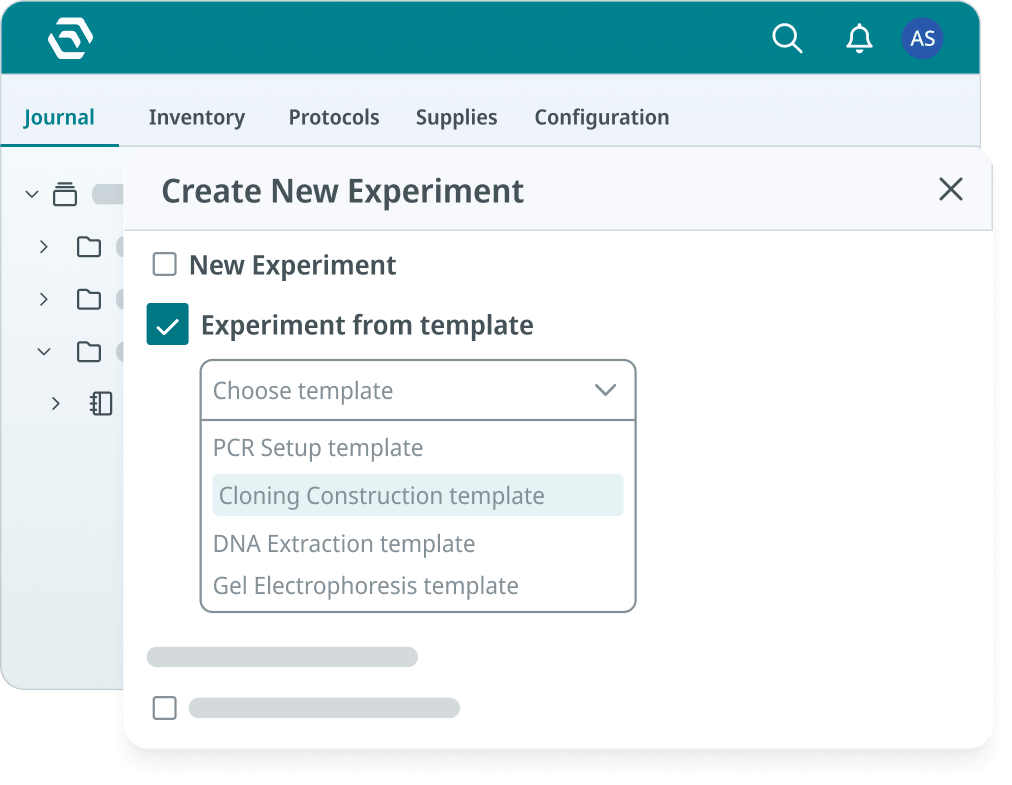
Experiment templates on the SciSure platform

3. Can you compare the same result across experiments?

What to look for

‍Pick a real reporting question, such as “How did this result vary across last month’s experiments?” Specify the value, the runs to include, and how often you’ll need the comparison. Reviewing five experiments once takes a different workflow from reporting on hundreds of runs every week.

What to ask in a demo

‍“Can you pull this value from several saved experiments and put it in one report?” Ask the vendor to show where each value came from and what the system retrieves. If the workflow uses an API, find out whether it returns the individual values or the complete workbooks. Add another run and ask the vendor to repeat the comparison.

How to judge the answer

‍Follow the value all the way to the report. If an external tool does the analysis, find out who extracts and checks the data, who maintains the process, and what happens when a workbook layout changes. If your scientists need to run the comparison inside the ELN, ask the vendor to demonstrate it there with several saved experiments.

With SciSure’s embedded Excel workflow, you can retrieve complete Excel workbooks through the API. An external tool extracts, compiles, and analyzes the values across experiments.

SciSure ELN & LIMS
See how you’d compare results across experiments
Bring results into your reporting tool so you can spot trends without opening each workbook by hand.
Talk to a specialist

An ELN demo scorecard you can use

Mark your must-haves before the demo. Rate each check Meets, Meets with extra steps, Falls short, or Needs verification. For any extra steps, note the tool you’d need and who would own the work.

What to test during your ELN trial

Check What to look for What a good answer looks like Rating and notes
Calculations A formula from your lab, a corrected input, and a review of the saved result. The result matches what you expect and updates when an input changes. A reviewer can find the inputs and formula.
Consistent data entry Two runs from one template, a template edit, and a test of any required entry rule. Both runs start with the expected layout, units, and formulas. The right people can make traceable changes, and required rules work as expected.
Comparison across experiments A report built from several runs and rerun after adding a new one. Each result traces back to its experiment. You can see what it takes to rerun the report and whether the process fits your reporting schedule.

FAQs

Is embedded Excel just a workaround?

Embedded Excel serves a specific purpose. It keeps familiar formulas, charts, and editable worksheets with the experiment where scientists use them. If your main goal is to find every experiment that meets a condition or to pull one result across many runs, test that separately. Ask the vendor to show how the system retrieves the values.

How do we keep data consistent if scientists can edit spreadsheets?

Decide who should be able to change the shared template and which edits scientists should be able to make during a run. A template gives everyone the same starting point, and the audit trail helps you review changes. If you need to restrict edits or enforce a field type, test that control with a regular scientist’s account.

Do we have to download hundreds of files by hand to run a report?

SciSure’s API can retrieve workbooks programmatically. Your lab still needs an external process that opens the files, extracts the right values, and refreshes the report. For a recurring report, ask who would own that process and what they’d do if a workbook was missing or a template update moved the result to a different column.

Can an integration read or update one Excel cell?

SciSure’s API provides access at the workbook level. It can retrieve the complete file, and individual cell reads and writes are unavailable through the API. If an integration needs to send a calculated value back to a specific cell, ask every vendor to demonstrate that step from the external tool back to the experiment.

When should native structured tables carry more weight?

Give them more weight if your lab needs to enforce data types, query individual values directly, or compare results inside the ELN. Ask the vendor to show each operation with your data. Also ask who can add or change a field when the method changes. The effort varies by product and configuration, so test the kind of change your team makes regularly.

What else should stay connected to a result?

Think about what you’d check if a result surprised you. You might need the sample record, the protocol version, or the materials used. Ask the vendor to show how a reviewer would get from a number in a report back to the experiment and then to those records.

Bring a workflow to a SciSure demo. We’ll walk through your calculation and template in the ELN and show where an external tool fits if you need to compare results across runs.

Ready to see SciSure in action?

Get a personalized demo and see how SciSure fits your lab's workflows.
Request demo

No commitment · Free consultation

Your lab wants to know whether results changed after a method update. One scientist recorded the measurement in a spreadsheet, another used a different label, and a few runs used different units. Before anyone can answer the question, someone has to open the records, match the measurements, and check the units. If you run that report every week, the cleanup becomes part of the job.

What structured data means in a lab notebook

In an electronic lab notebook (ELN), structured data gives each piece of information a defined place and meaning. Say you record a result of 8.4 mg/L for sample A17. With a structured layout, the sample ID, measurement name, value, and unit each have a labeled place. The next scientist knows where to enter the same information, and the person reviewing the results knows what each value represents.

That structure helps at the bench. If readings go in the same places each time, scientists can reuse the same calculation and check the result while they still have the inputs in front of them. When someone starts the next run, they can use the same layout and formulas. And when a colleague reviews the work, they can follow how the result was calculated.

The way the ELN stores those values matters when you need them across experiments. A reusable spreadsheet can give each value a predictable place within a workbook. A queryable ELN field lets you request a specific value across experiment records. When the results live inside separate workbooks, a reporting process may need to retrieve each file and extract the right values. How much that matters depends on which results you need, how often you need them, and who will do the work.

Use these three checks with an experiment your team actually runs. Bring a worksheet, a few sample records, and a question someone in your lab needs to answer.

1. Can scientists calculate results inside an experiment?

What to look for

Pick a calculation you use to finish or review a run. If your team relies on a workbook with several tabs or uses a chart to spot unexpected readings, bring that workbook to the demo. Include sample inputs and an expected result so you can check the output.

What to ask in a demo

‍“Can you enter these readings and run our calculation from the experiment record?” Ask the vendor to build any chart you use, then change one input. Have someone reopen the record and find the readings, formula, and result.

How to judge the answer

‍Check that the calculation gives the expected result and that correcting a reading updates the output. Watch for steps someone would repeat every run, such as copying a result back into the notebook or replacing a chart. If the vendor opens a finished example, ask to see what happens when a scientist edits the inputs.

In SciSure, you can use embedded Excel for formulas and charts within an experiment. Ask to try your workbook in the Excel editing setup your team would use.

SciSure's Electronic Lab Notebook (ELN)

2. Can your team record data consistently as methods change?

What to look for

‍Decide what everyone should start with, such as the same measurement labels, units, and formulas. Then identify any rules the system needs to enforce. Providing a place for a sample ID and requiring that ID before submission are two separate requirements.

What to ask in a demo

‍“Can two scientists start fresh experiments from the same template?” Compare what each person sees before entering data. If your lab needs validation, leave a field blank or enter text where a number should go. Then ask someone to add a measurement column to the template. Check who can make the edit, what the next scientist sees, and where you can review the change.

How to judge the answer

‍Both scientists should be able to start without recreating the worksheet or guessing which units to use. If your lab has a mandatory rule, test it at the point where it matters. A warning might be enough for your team, or you might need the ELN to prevent submission until the entry is corrected. If your methods change often, check whether the people who own the method can manage routine template updates.

SciSure Experiment Templates give teams a shared spreadsheet layout and calculations. Scientists with permission to edit templates can adapt them as methods change, with changes traceable through the audit trail.

Experiment templates on the SciSure platform

3. Can you compare the same result across experiments?

What to look for

‍Pick a real reporting question, such as “How did this result vary across last month’s experiments?” Specify the value, the runs to include, and how often you’ll need the comparison. Reviewing five experiments once takes a different workflow from reporting on hundreds of runs every week.

What to ask in a demo

‍“Can you pull this value from several saved experiments and put it in one report?” Ask the vendor to show where each value came from and what the system retrieves. If the workflow uses an API, find out whether it returns the individual values or the complete workbooks. Add another run and ask the vendor to repeat the comparison.

How to judge the answer

‍Follow the value all the way to the report. If an external tool does the analysis, find out who extracts and checks the data, who maintains the process, and what happens when a workbook layout changes. If your scientists need to run the comparison inside the ELN, ask the vendor to demonstrate it there with several saved experiments.

With SciSure’s embedded Excel workflow, you can retrieve complete Excel workbooks through the API. An external tool extracts, compiles, and analyzes the values across experiments.

SciSure ELN & LIMS
See how you’d compare results across experiments
Bring results into your reporting tool so you can spot trends without opening each workbook by hand.
Talk to a specialist

An ELN demo scorecard you can use

Mark your must-haves before the demo. Rate each check Meets, Meets with extra steps, Falls short, or Needs verification. For any extra steps, note the tool you’d need and who would own the work.

What to test during your ELN trial

Check What to look for What a good answer looks like Rating and notes
Calculations A formula from your lab, a corrected input, and a review of the saved result. The result matches what you expect and updates when an input changes. A reviewer can find the inputs and formula.
Consistent data entry Two runs from one template, a template edit, and a test of any required entry rule. Both runs start with the expected layout, units, and formulas. The right people can make traceable changes, and required rules work as expected.
Comparison across experiments A report built from several runs and rerun after adding a new one. Each result traces back to its experiment. You can see what it takes to rerun the report and whether the process fits your reporting schedule.

FAQs

Is embedded Excel just a workaround?

Embedded Excel serves a specific purpose. It keeps familiar formulas, charts, and editable worksheets with the experiment where scientists use them. If your main goal is to find every experiment that meets a condition or to pull one result across many runs, test that separately. Ask the vendor to show how the system retrieves the values.

How do we keep data consistent if scientists can edit spreadsheets?

Decide who should be able to change the shared template and which edits scientists should be able to make during a run. A template gives everyone the same starting point, and the audit trail helps you review changes. If you need to restrict edits or enforce a field type, test that control with a regular scientist’s account.

Do we have to download hundreds of files by hand to run a report?

SciSure’s API can retrieve workbooks programmatically. Your lab still needs an external process that opens the files, extracts the right values, and refreshes the report. For a recurring report, ask who would own that process and what they’d do if a workbook was missing or a template update moved the result to a different column.

Can an integration read or update one Excel cell?

SciSure’s API provides access at the workbook level. It can retrieve the complete file, and individual cell reads and writes are unavailable through the API. If an integration needs to send a calculated value back to a specific cell, ask every vendor to demonstrate that step from the external tool back to the experiment.

When should native structured tables carry more weight?

Give them more weight if your lab needs to enforce data types, query individual values directly, or compare results inside the ELN. Ask the vendor to show each operation with your data. Also ask who can add or change a field when the method changes. The effort varies by product and configuration, so test the kind of change your team makes regularly.

What else should stay connected to a result?

Think about what you’d check if a result surprised you. You might need the sample record, the protocol version, or the materials used. Ask the vendor to show how a reviewer would get from a number in a report back to the experiment and then to those records.

Bring a workflow to a SciSure demo. We’ll walk through your calculation and template in the ELN and show where an external tool fits if you need to compare results across runs.

About the author:

SciSure Team

The SciSureTeam combines expertise in lab digitization, software development, and research management to deliver reliable insights and practical advice. Our goal is to empower scientists with the knowledge and tools to optimize workflows and stay ahead in the ever-evolving world of research.

See all posts from this author

Sign up for our newsletter

Get the latest tips, articles, and exclusive content on modern lab management delivered to your inbox.
Thank you for subscribing!
Please check your email to verify your submission.
Oops! Something went wrong while submitting the form.