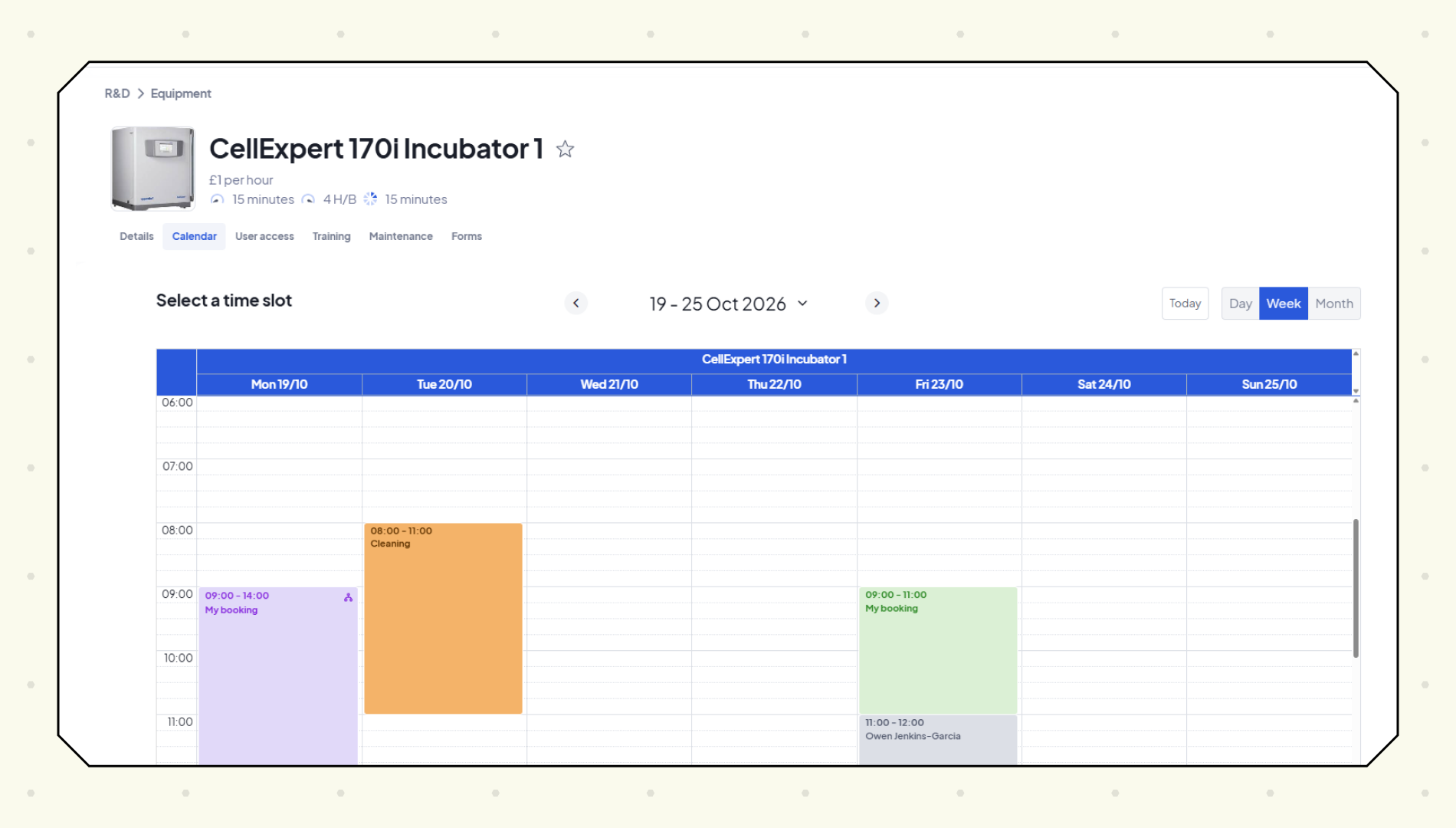


The Calira Equipment Scheduler connects SciSure with Calira, the lab operations platform research teams use to schedule, manage and share equipment.
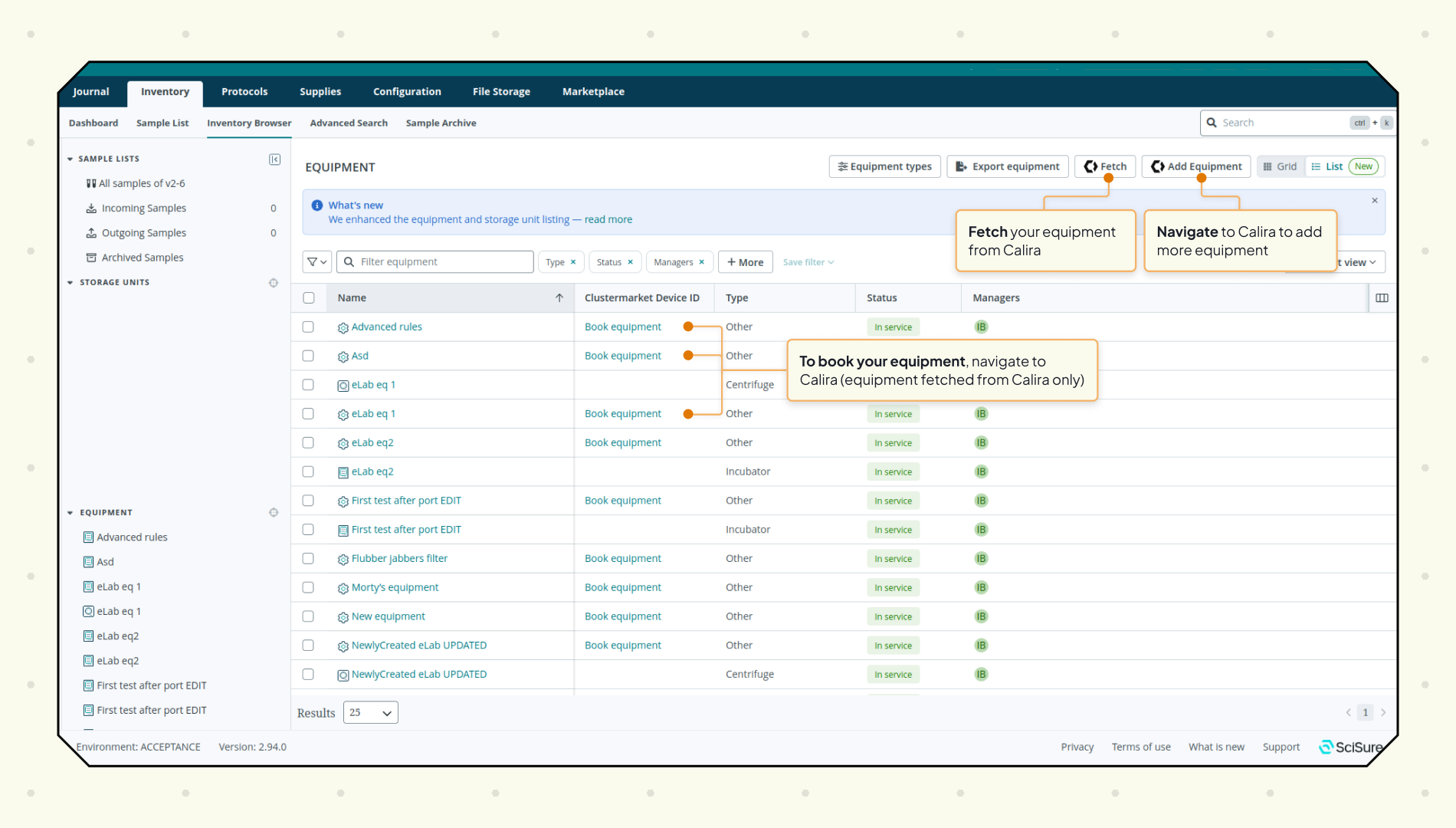
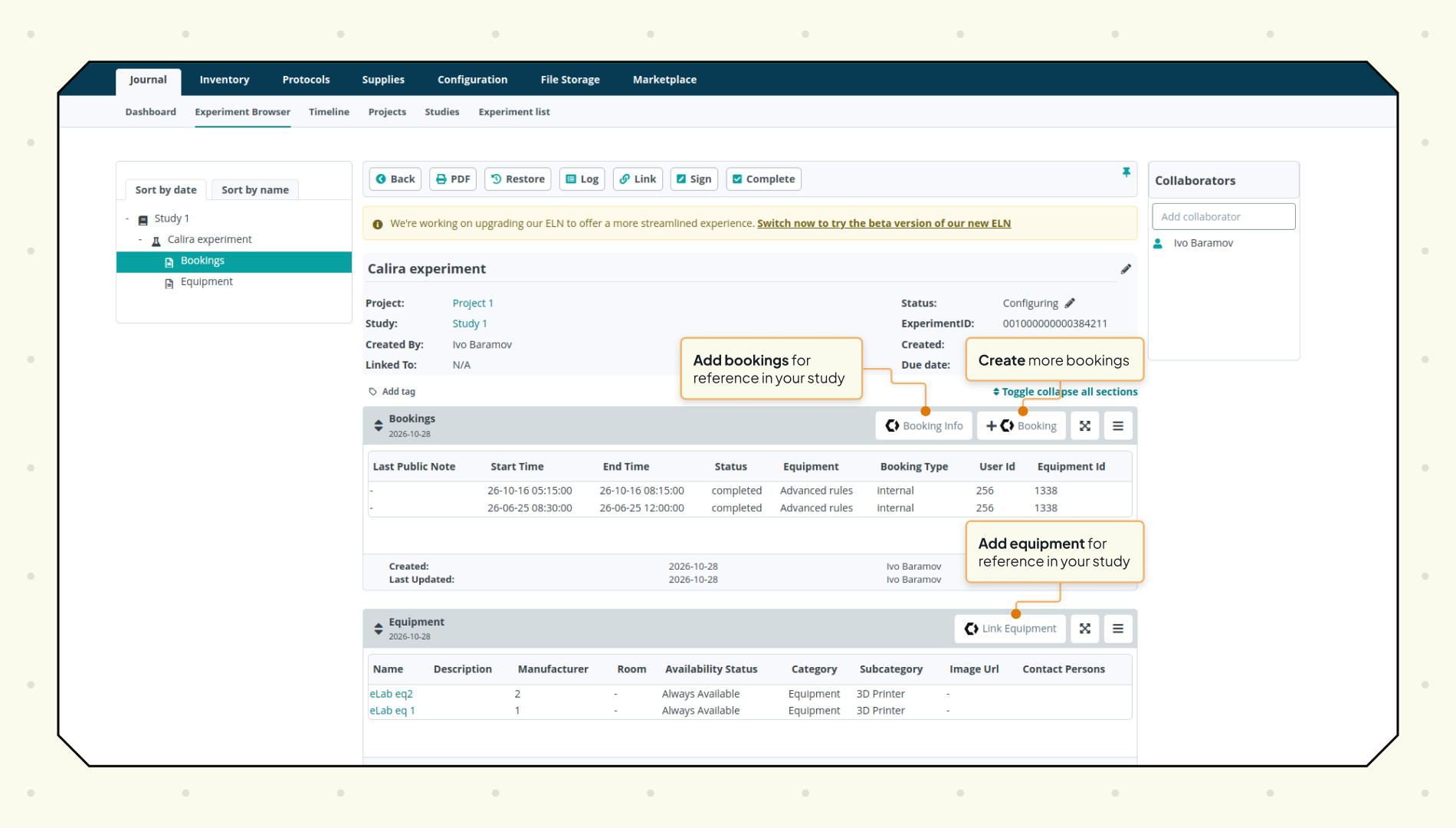
Calira equipment records sync to SciSure, so scientists can find instruments without leaving their ELN. From a SciSure experiment, users open Calira to book an instrument, then add the equipment and booking details (booking ID, start and end time, location and notes) to their experiment notes.
The integration is available to labs on a Calira Enterprise subscription and a SciSure Team or Enterprise instance. A SciSure user connects the two from SciSure's equipment settings, and a Calira lab administrator authorises the connection.
Key Features & Benefits
- Calira equipment records (name, type, description, status, manager, manufacturer, model and room) sync to SciSure, with a refresh button to pull in later changes.
- Links in SciSure's inventory browser and equipment table open the right booking page in Calira.
- Equipment and booking details can be added to SciSure experiment notes, so each experiment records which instrument was used and when.
- Admins choose which Calira labs SciSure can access.
Resources
The labels can stay as they are. If the links need targets, these are the right pages:
- Integration: https://calira.co/integrations/scisure
- Documentation: https://help.calira.co/how-to-set-up-the-scisure-integration
Use Cases
More add-ons and integrations

Amass
Connect your experiments to the wider scientific evidence and decide what to test next

SciSure MCP
Connect the AI environment your organization chooses with permitted scientific information in SciSure.
BioSkepsis
Every experiment ends with one question: what to run next. BioSkepsis answers it inside SciSure, from what the published evidence actually shows, so your next move rests on the literature, not a hunch.